3 posts tagged with "Security"

Designing secure cloud environments for AI workloads. Covers network isolation, least-privilege access, private vs public subnets, secure outbound patterns (NAT), and defense-in-depth for production AI agents.

View All Tags

Day 11: Add HTTPS (SSL certificate)

· 24 min read
Norah Klintberg Sakal
AI Consultant & Developer

Add HTTPS (SSL Certificate)

What you'll learn

How to request a free SSL certificate from AWS and enable HTTPS on your Application Load Balancer

Make it secure

Day 10: You got a custom domain

Today: We make it secure with HTTPS

Here's the situation:

Your app is accessible at:

http://ai-caller.yourdomain.com

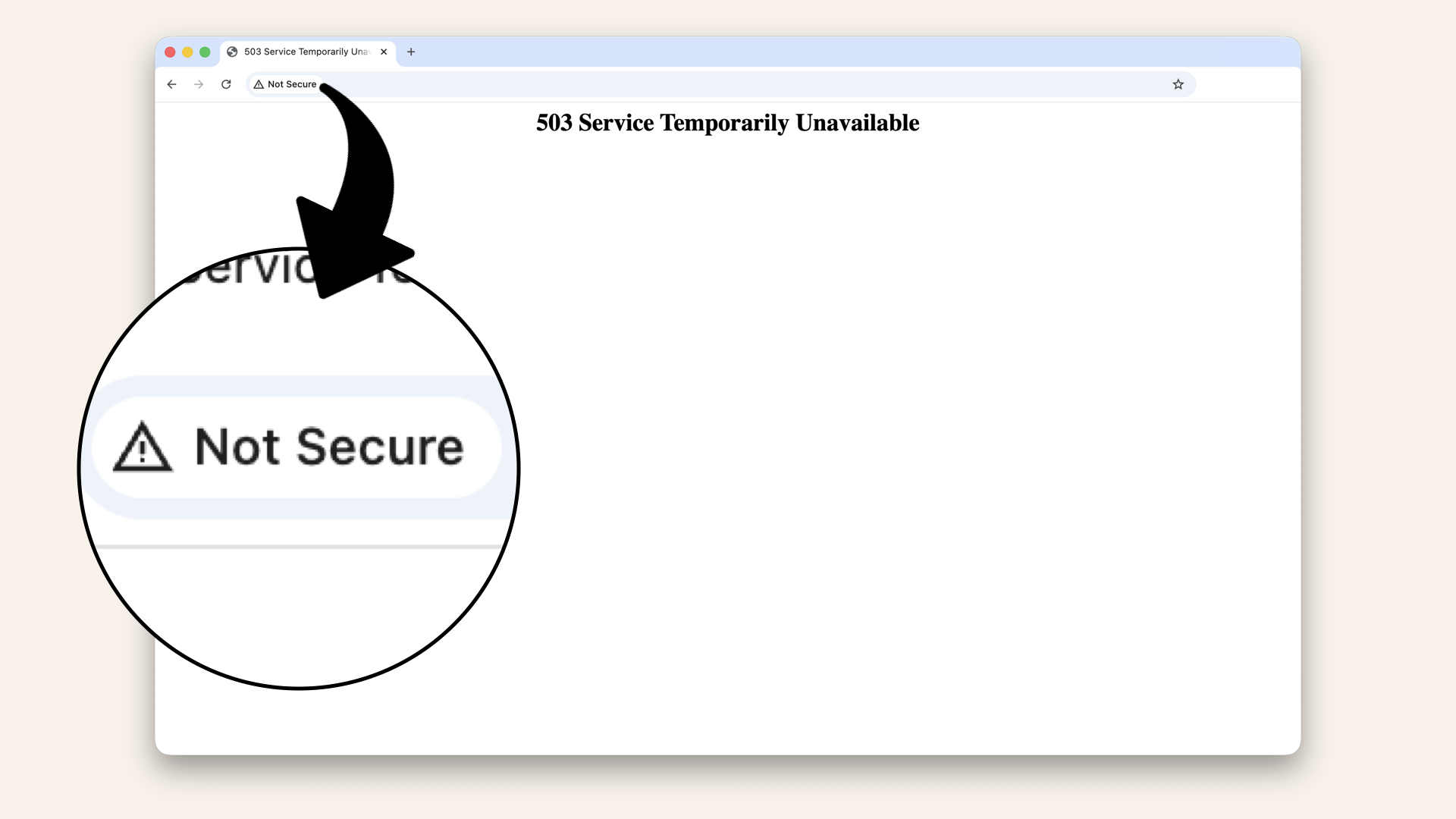
Browser says: ⚠️ "Not secure":

Browser says: 'Not secure'

Browser says: ⚠️ "Not secure"

The problem:
❌ Data transmitted in plain text
❌ Anyone can intercept traffic
❌ Users don't trust it
❌ Browser shows scary warnings
❌ Can't use modern web features (WebRTC, microphone access)

What you need:

Day 7: Create security groups (add the smart locks)

· 22 min read
Norah Klintberg Sakal
AI Consultant & Developer

Create Security Groups (add the smart locks)

What you'll learn

How to create Security Groups that control exactly who can talk to your load balancer and AI agent Containers

Your network needs smart locks

Day 6: You built the roads (route tables)

Today: We add the smart locks (Security Groups)

Here's the problem:

Your routing works, traffic can flow.

But there's NO security layer yet.

Right now:

  • Anyone can try to connect to your containers
  • No firewall rules
  • No access control

That's a security issue.

Solution: Security Groups