Same prompt. Different teammate.

Same prompt. Different teammate. My 5 cents on Opus 4.8
I'm using Claude Code while creating my "How to deploy an AI agent" course.
Don't get me started. I know it's very meta to use AI while building a course about deploying AI apps, but here we are.
And after switching to Opus 4.8 today, I noticed a small thing that felt different.
Not "the model solved world peace" different.
More like "Did it just understand what I'm actually working on? 🧐"
The old default
I used to prompt things like:
"Help me plan a new component"
And usually the answer was something like:
"Here it is. Let me know if you need anything else. Bye 👋"
Super helpful.
But it stopped where my prompt stopped.
It would help with whatever I needed to implement but not really with the surrounding lessons, the notes/placeholders I left for myself or the course authoring.
The prompt
Today I asked Opus 4.8 to help me implement a new component:
@docs/visualization_components/SamTemplateExplainer.jsx
And make it reachable inside lesson MDX files.
That was basically it:
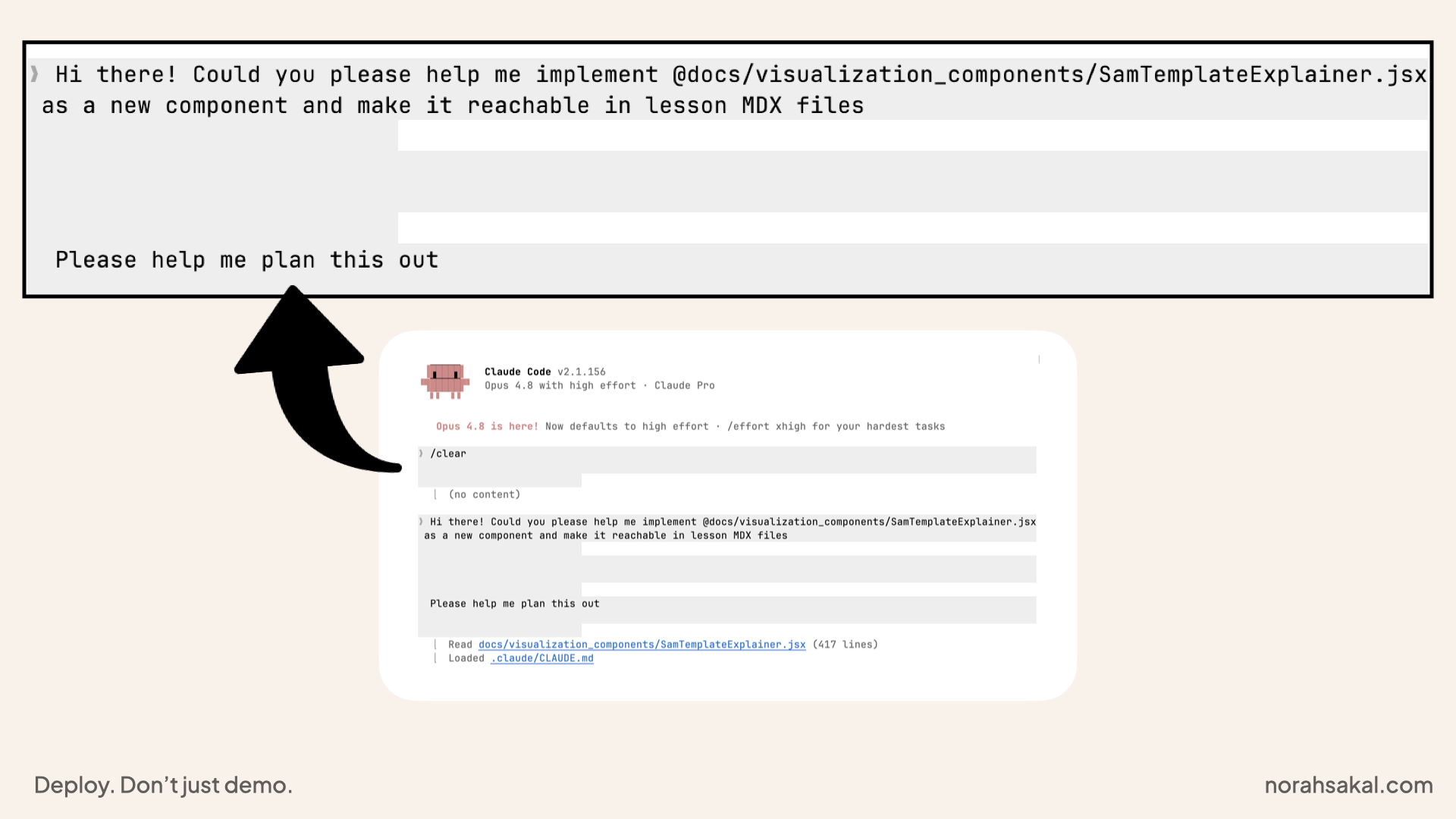
The prompt I used to ask Claude Code to help me implement a new component
I did not tell it which lesson I was working on.
I did not tell it where I wanted the component.
I did not say:
Please check the latest MDX file, find my placeholder and wire the component into the right spot
I just said: implement the component and make it reachable.
What Opus 4.8 did
I've asked for plans countless times but today, the plan came back with context I had not spelled out:
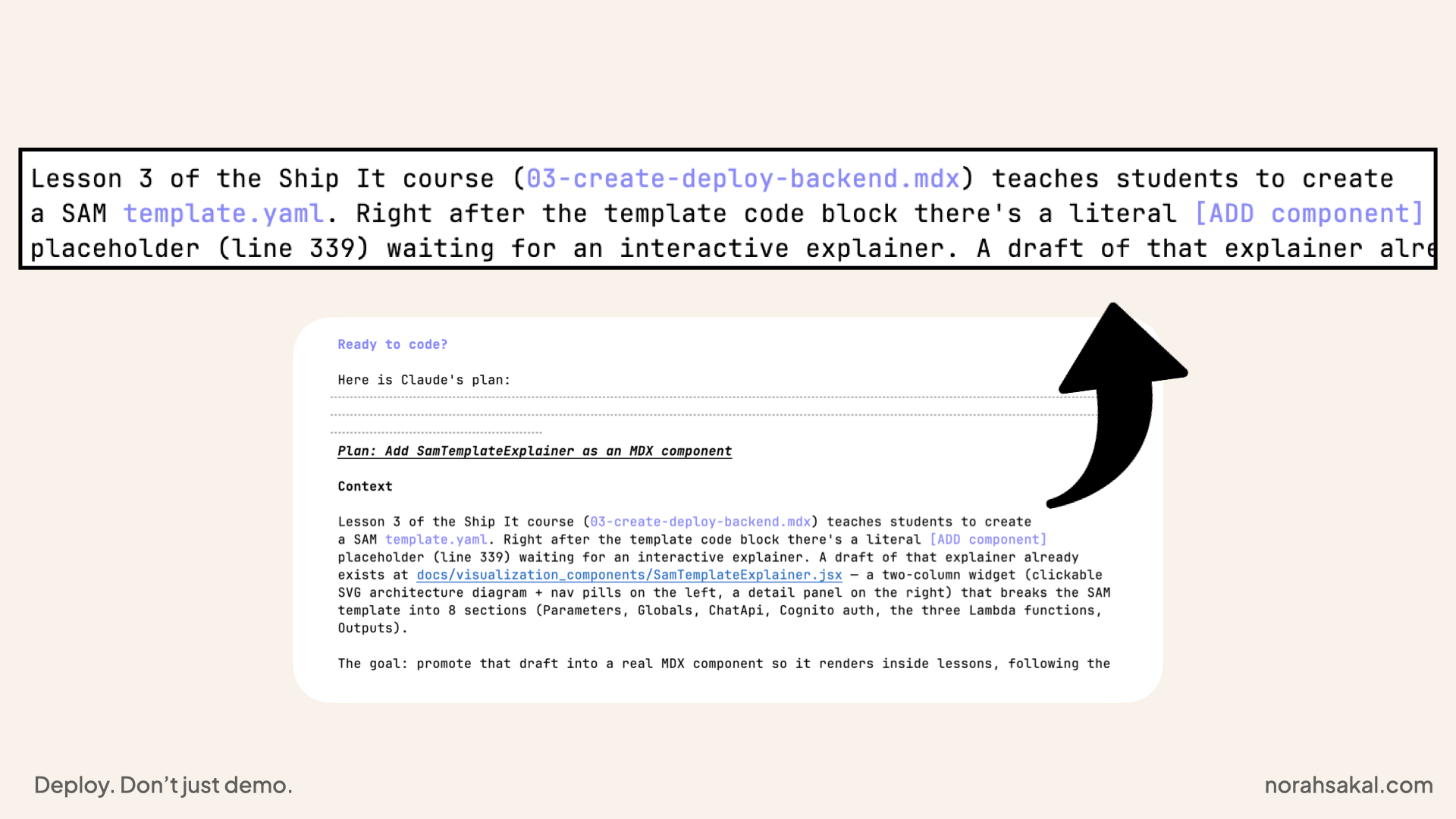
Opus 4.8 plan
It found the lesson file I was working in:
03-create-deploy-backend.mdx
It found my [ADD component] placeholder.
A placeholder I had left for myself, mind you.
And it connected that placeholder to the component I was asking about.
I'm not saying this is a complex task.
I see Claude Code run git diff and inspect files all the time.
But this was the first time it felt like it was helping with the actual authoring of a lesson. Not just producing the code I asked for.
It usually goes:
"Here's the new component/code, let me know if you need anything else, bye for now 👋"
The new component
Also, can we talk about how pretty this component is?
Built with Browser Claude.
Implemented with Claude Code.
Wired into the lesson 🧑🍳💋 (chef's kiss):
These are the three runtime inputs you pass in at deploy time. They wire your SAM stack to an existing Cognito User Pool without hardcoding IDs. You supply them via sam deploy --parameter-overrides or in your samconfig.toml.
I'm using this component to explain the SAM template.yaml visually instead of making students stare at a long YAML file and pretend that's beginner-friendly.
It breaks the template into sections like:
- Parameters
- Globals
- ChatApi
- Cognito auth
- Lambda functions
- Outputs
Which is exactly what I wanted for this lesson.
My 5 cents
The interesting part is not that it helped me build a React component.
The interesting part is that the gap between what I asked and what I meant got smaller.
It connected dots I did not point to.
Same prompt. Different teammate.
Sure, it's not a complex task.
But it is the first time I noticed it doing this without being asked:
Opus 4.8 plan
My upcoming course Ship It walks you from vibe-coded AI agent to deployed AWS app, step by step: frontend, backend, auth, API, database and deployment.
Join the waitlist:
If you'd rather walk through your specific app: what it does, where it lives, what it needs next Grab a free 30-min call ↗
I'll help you map it to the serverless AWS stack.