Requesting Access to AWS Bedrock Foundation Models
To use the Bedrock foundation models, follow these steps to request access:
1. Log in to AWS
Visit the AWS Management Console and sign in to your AWS account.
2. Navigate to Bedrock
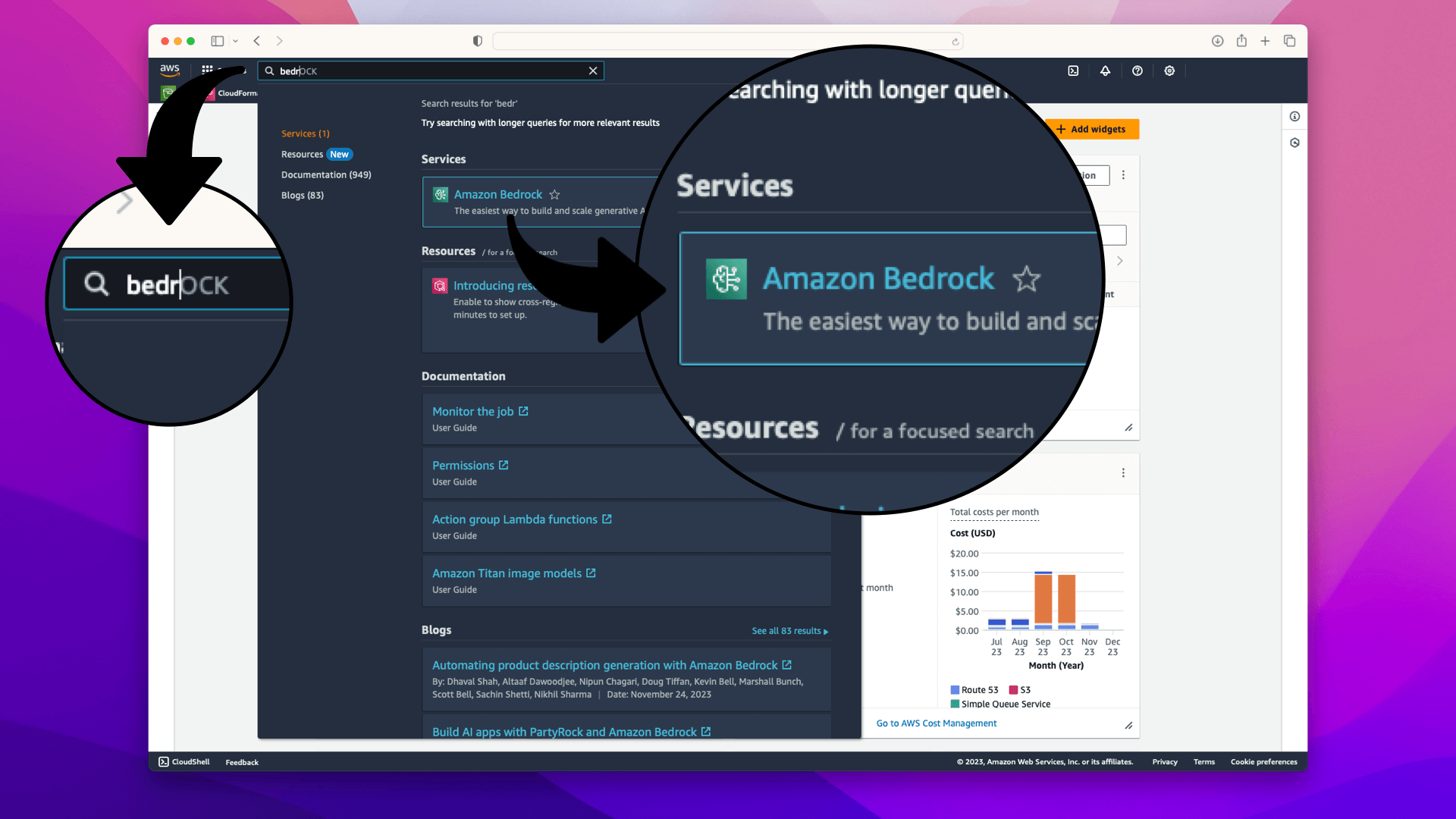
Use the search bar at the top of the AWS Management Console to search for "Bedrock":
3. Initiate Access Request
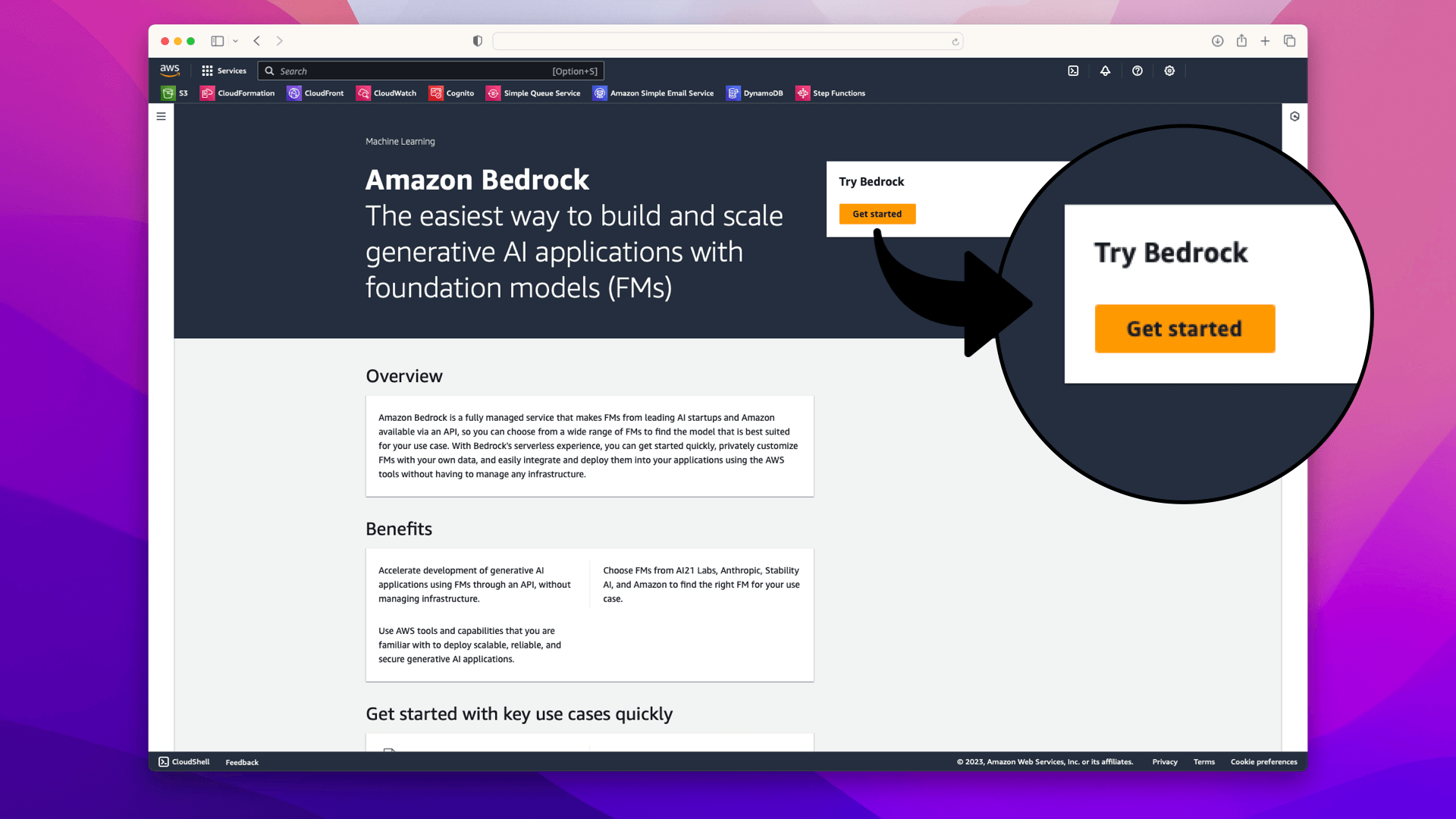
On the Amazon Bedrock service page, click on Get Started:
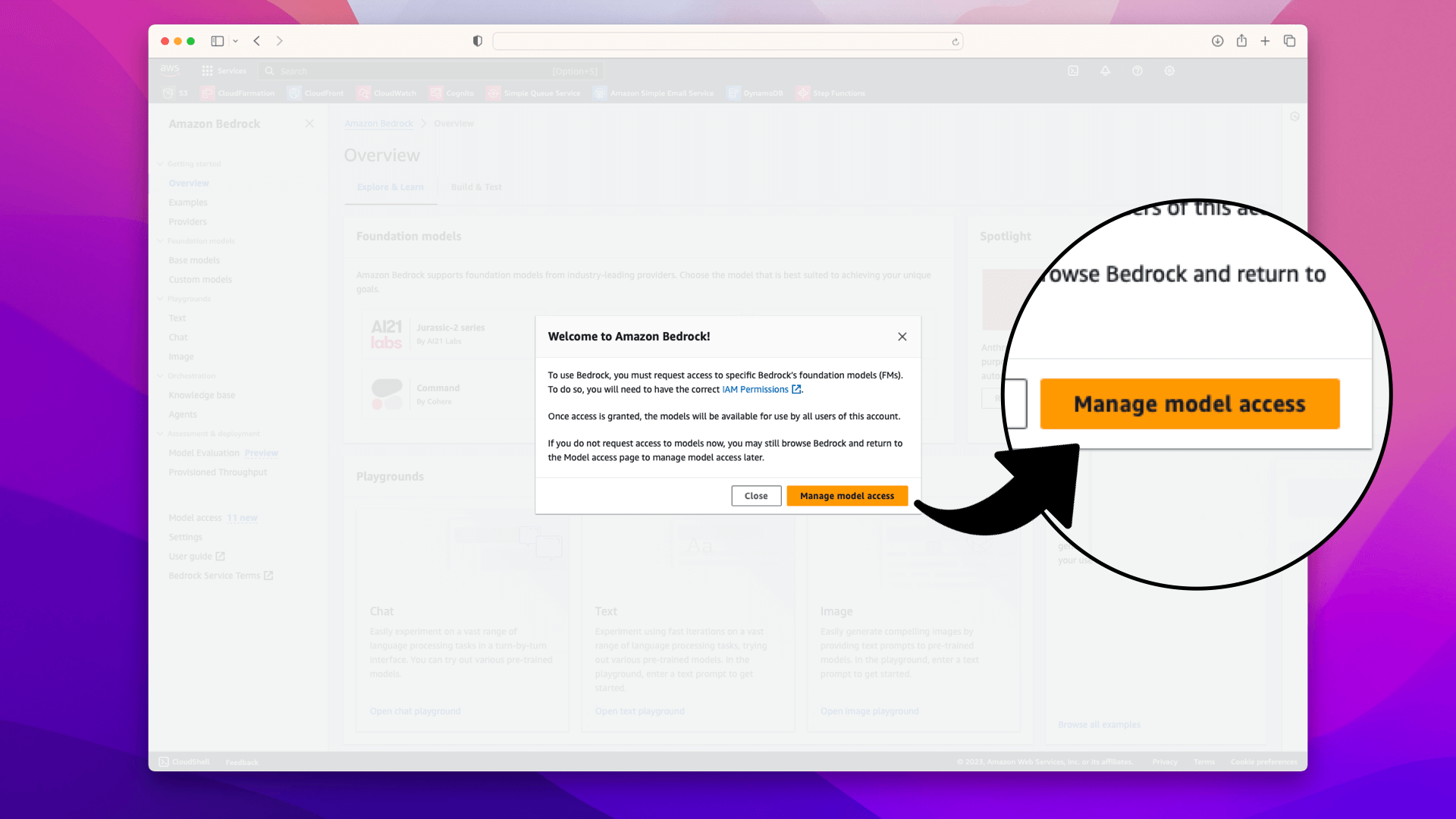
In the popup, click Manage Model Access:
On the resulting page, click Manage Model Access:
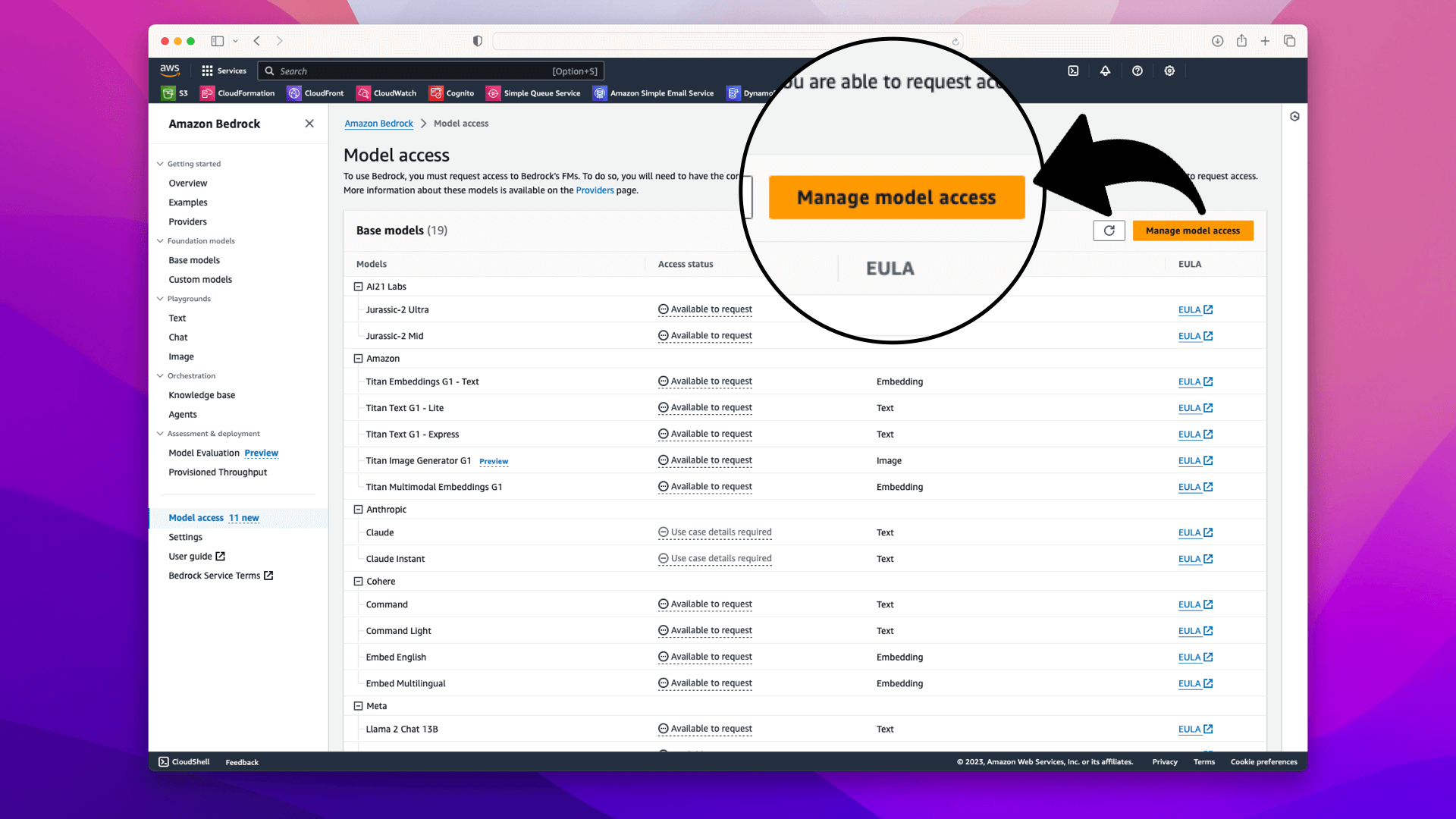
4. Selecting the Models
In the model access section, choose Amazon from the list of available models; this will check all the available models:
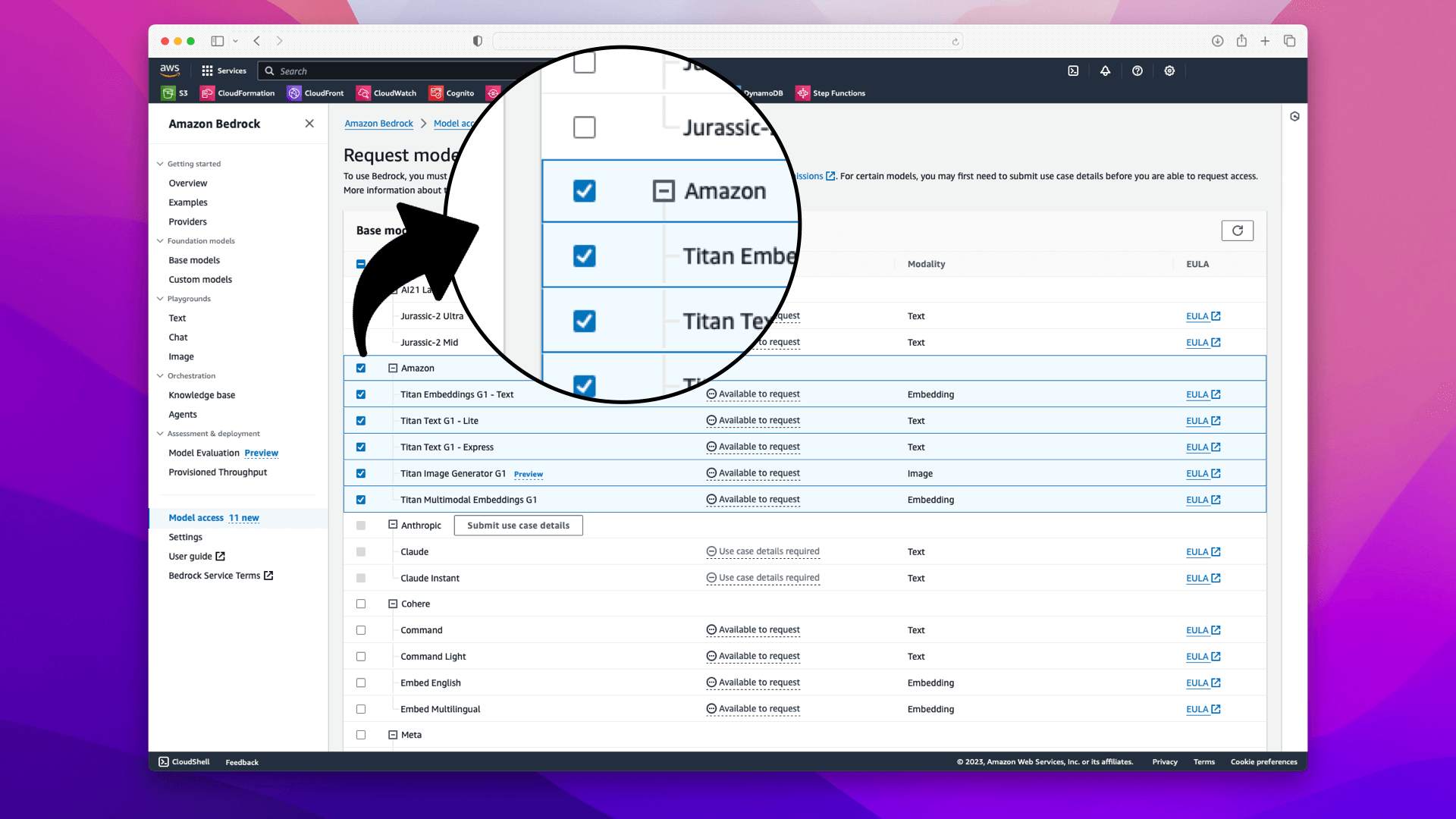
Selecting Amazon from the list of available models will give you access to 5 models. We'll use 2 of these models in the walkthrough:
- Titan Embeddings
- Titan Multimodal Embeddings
- Titan Text - Lite
- Titan Text - Express
- Titan Image Generator
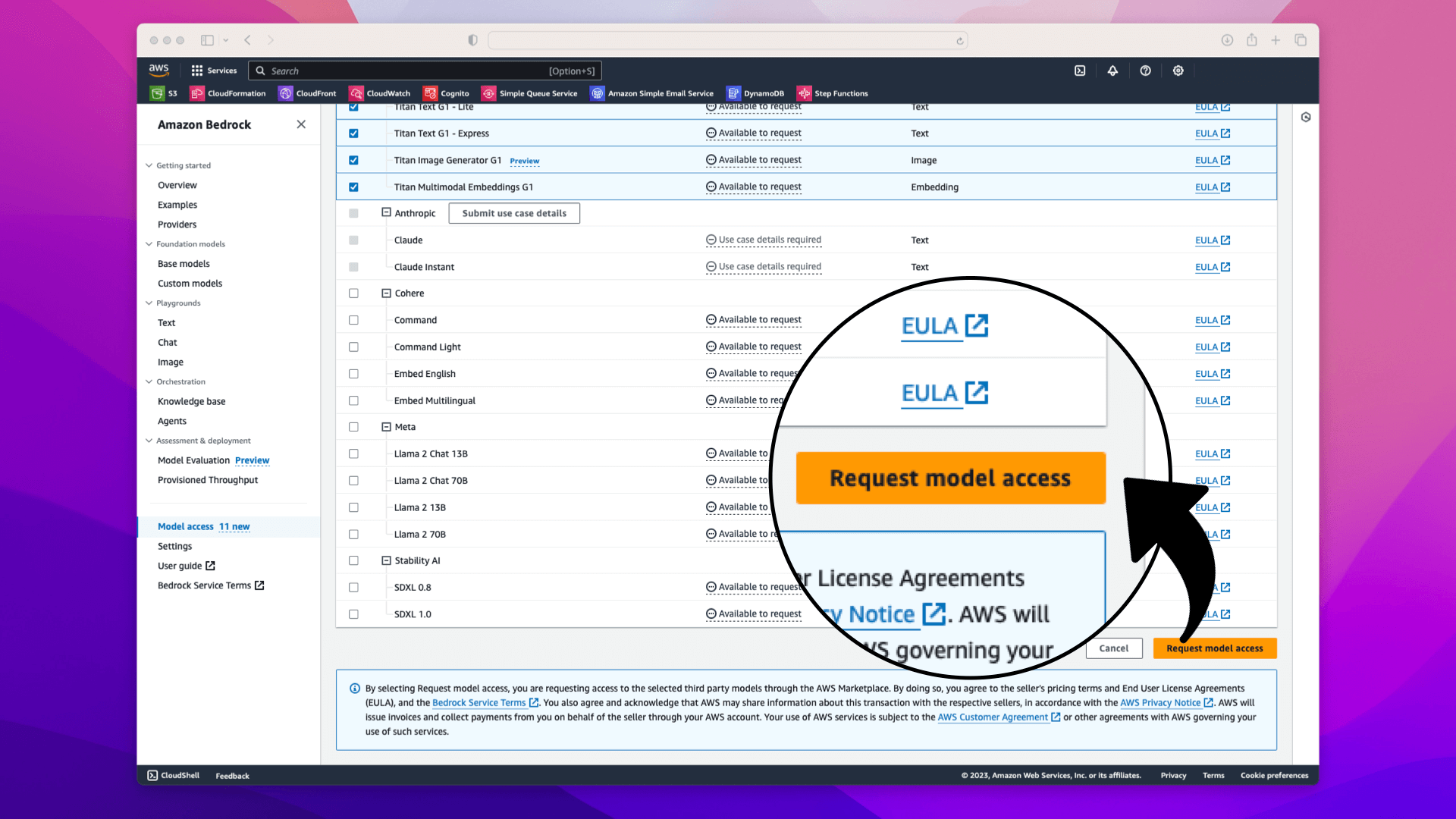
5. Finalize the Request
Scroll to the bottom of the page and click on Request Model Access:
6. Confirmation
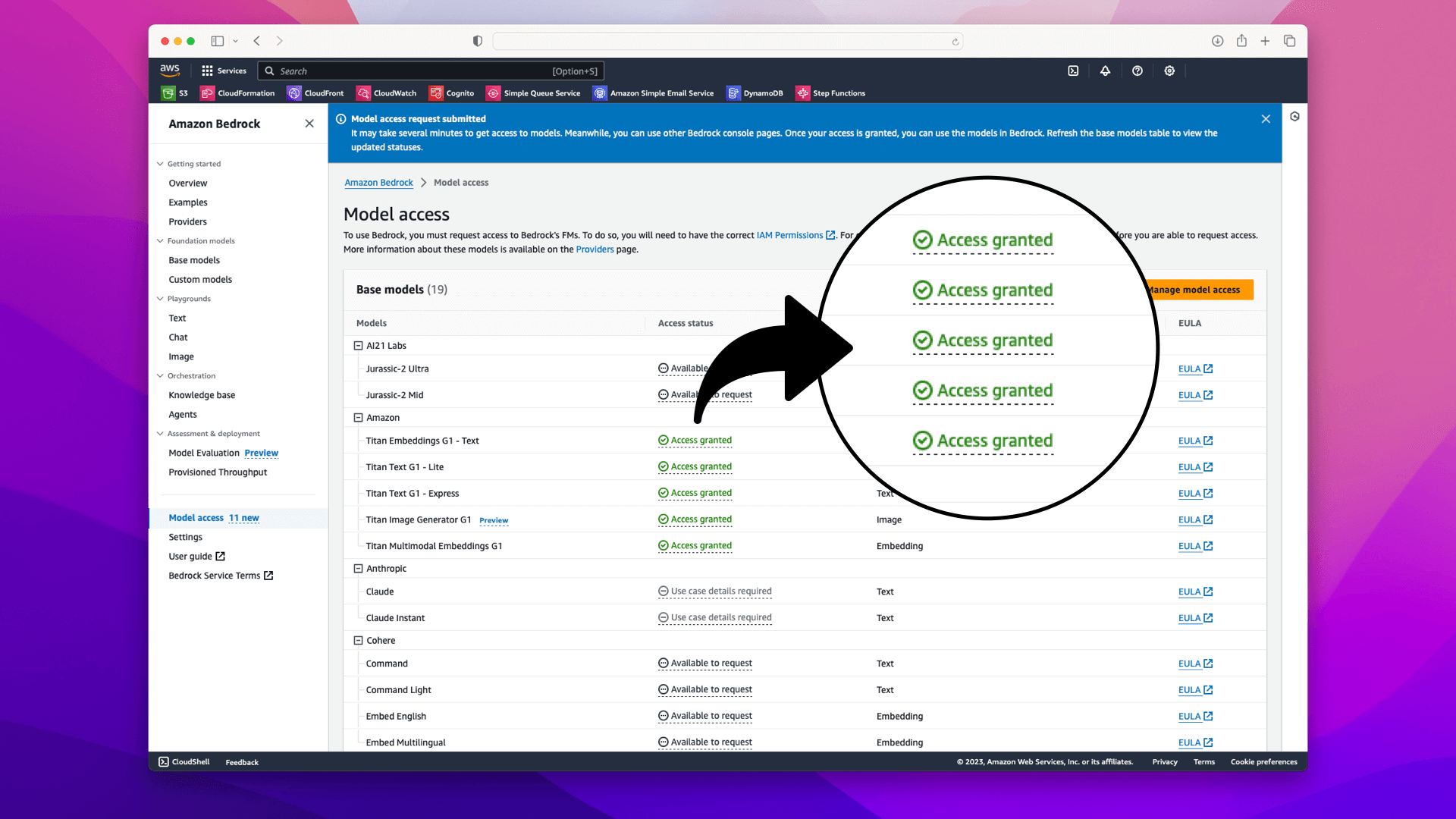
After requesting access, you will be redirected back to the Bedrock overview page, where it should now indicate that your access request is pending or granted: