Day 4: Create subnets (front yards vs back yards)
How to create 4 subnets (2 public, 2 private) in different availability zones for high availability
Your neighborhood needs houses
Day 1: Your AI agent's first phone call Day 1 ↗
Day 2: Give your AI agent a real-world mission Day 2 ↗
Day 3: You claimed your territory (VPC) Day 3 ↗
Today: We'll build our neighborhood with subnets
Think of it like this:
You own a plot of land (VPC)
Now you need to build houses and divide the plots into:
- Front yard (public subnet) - visitors can visit
- Back yard (private subnet) - only you can access
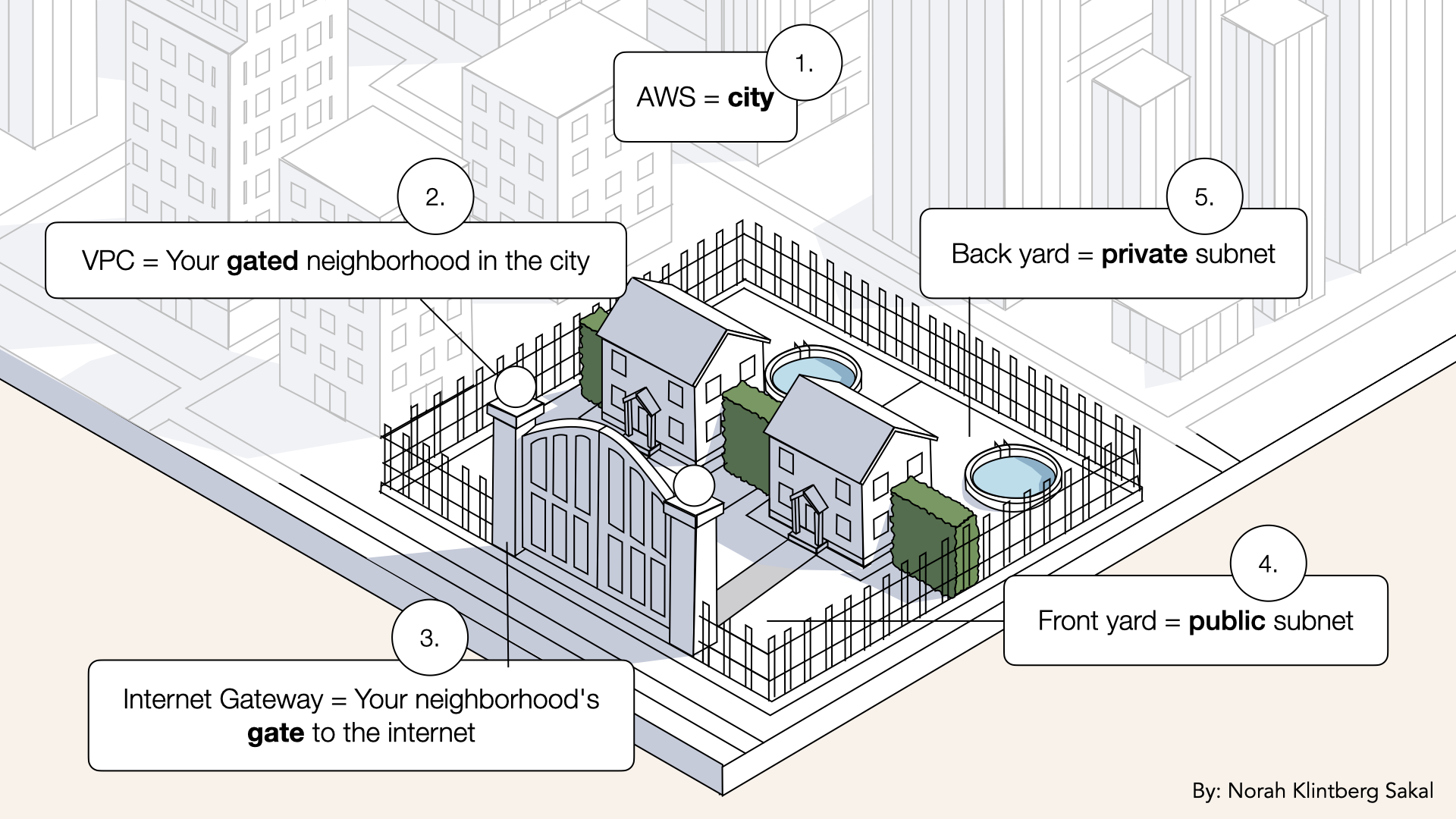
We'll build our neighborhood with public subnets (front yards) and private subnets (back yards)
By the end of today, you'll have:
✅ 4 subnets (2 public front yards, 2 private back yards)
✅ Resources split across 2 availability zones
✅ Foundation for security and high availability
Let's build your neighborhood.
What you'll build today
4 subnets in your VPC:
| Subnet | Type | CIDR Block | Zone | Purpose |
|---|---|---|---|---|
| PublicSubnet-1 | Public | 172.31.96.0/20 | us-east-1a | Load balancer |
| PublicSubnet-2 | Public | 172.31.112.0/20 | us-east-1b | Load balancer |
| PrivateSubnet-1 | Private | 172.31.128.0/20 | us-east-1a | AI containers |
| PrivateSubnet-2 | Private | 172.31.144.0/20 | us-east-1b | AI containers |
Why 4 subnets?
- 2 public = Load balancer (needs internet access)
- 2 private = AI agent containers (hidden from internet)
- 2 zones = High availability (if one fails, other works)
What you'll learn
- What subnets are (and why you need them)
- Public vs private subnets
- What availability zones are
- How CIDR blocks divide your VPC
- How to calculate IP ranges
But if you want:
✅ Complete codebase (one clean repo)
✅ Complete walkthroughs
✅ Support when stuck
✅ Production templates
✅ Advanced features
Join the waitlist for the full course (launching February 2026):
Building something with AI calling?
Let's chat about your use case!
Schedule a free call ↗ - no pitch, just two builders talking.
Time required
15 minutes (4 subnets x ~3 minutes each)
Prerequisites
✅ Completed Day 3 (you have a VPC) ↗
✅ Access to AWS Console
Understanding subnets (3-minute primer)
What is a subnet?
Subnet = Sub-network
It's a logical subdivision of your VPC.
Think of it like:
Your VPC is a city block
Subnets are the individual plots:
- Some face the street (public)
- Some are in the back (private)
Every resource in AWS lived in a subnet:
- Your load balancer → public subnet
- Your AI agent containers → private subnet
- Databases → private subnet
Public vs private subnets
What's the difference?
| Type | Internet Access | Use Case | Example |
|---|---|---|---|
| Public | ✅ Direct access | Web servers, load balancers | ALB |
| Private | ❌ No direct access | App servers, databases | Fargate |
Key point:
Public subnets have a route to the Internet Gateway
Private subnets don't
We'll set up those routes on Day 6.
Why you need both
Public subnets:
- Your load balancer lives here
- Accepts connections from the internet
- Routes traffic to private subnets
Private subnets:
- Your AI agent containers love here
- Can't be accessed directly from the internet
- More secure
It's like a restaurant:
- Public subnet = dining room (customers enter here)
- Private subnet = kitchen (customers can't enter)
Availability zones
What are availability zones?
AWS regions (like us-east-1) have multiple physically separate data centers called availability zones.
Example in us-east-1:
us-east-1a= Data center Aus-east-1b= Data center Bus-east-1c= Data center C
Why this matters:
If one data center has a power outage, the others keep running.
That's why we create 2 subnets of each type:
- 1 in
us-east-1a - 1 in
us-east-1b
If one availability zone fails, your AI agent keeps working.
Understanding CIDR blocks
Remember from Day 3 ↗: Your VPC uses 172.31.0.0/16
That gives you: 172.31.0.0 → 172.31.255.255 (65,536 IPs)
Now we need to divide those IPs into subnets.
How CIDR blocks work
We'll use /20 blocks: Each gets 4,096 IP addresses
Our plan:
VPC: 172.31.0.0/16 (65,536 IPs)
├─ PublicSubnet-1:  172.31.96.0/20   (172.31.96.0  → 172.31.111.255)
├─ PublicSubnet-2:  172.31.112.0/20  (172.31.112.0 → 172.31.127.255)
├─ PrivateSubnet-1: 172.31.128.0/20  (172.31.128.0 → 172.31.143.255)
└─ PrivateSubnet-2: 172.31.144.0/20  (172.31.144.0 → 172.31.159.255)
Key rules:
- Subnets can't overlap
- All subnets must be within the VPC range
- Use the same
/20size for consistency
Deep dive into CIDR blocks.
Understanding the IP ranges
Your VPC might already have subnets
AWS creates default ones.
Check your existing subnets:
- Go to VPC
- Click subnets
- Note the CIDR blocks already in use
Common existing ranges:
172.31.0.0/20→172.31.15.255172.31.16.0/20→172.31.31.255172.31.32.0/20→172.31.47.255
We're using 172.31.96.0/20 and higher to avoid conflicts.
Rule: Pick ranges that don't overlap with existing subnets.
Calculator: Use CIDR.xyz ↗ to visualize ranges.
Step 1: Check existing subnets
Before creating new subnets, let's see what already exists.
Open the AWS Console ↗In the search bar at the top, type VPC and click VPC from the dropdown:
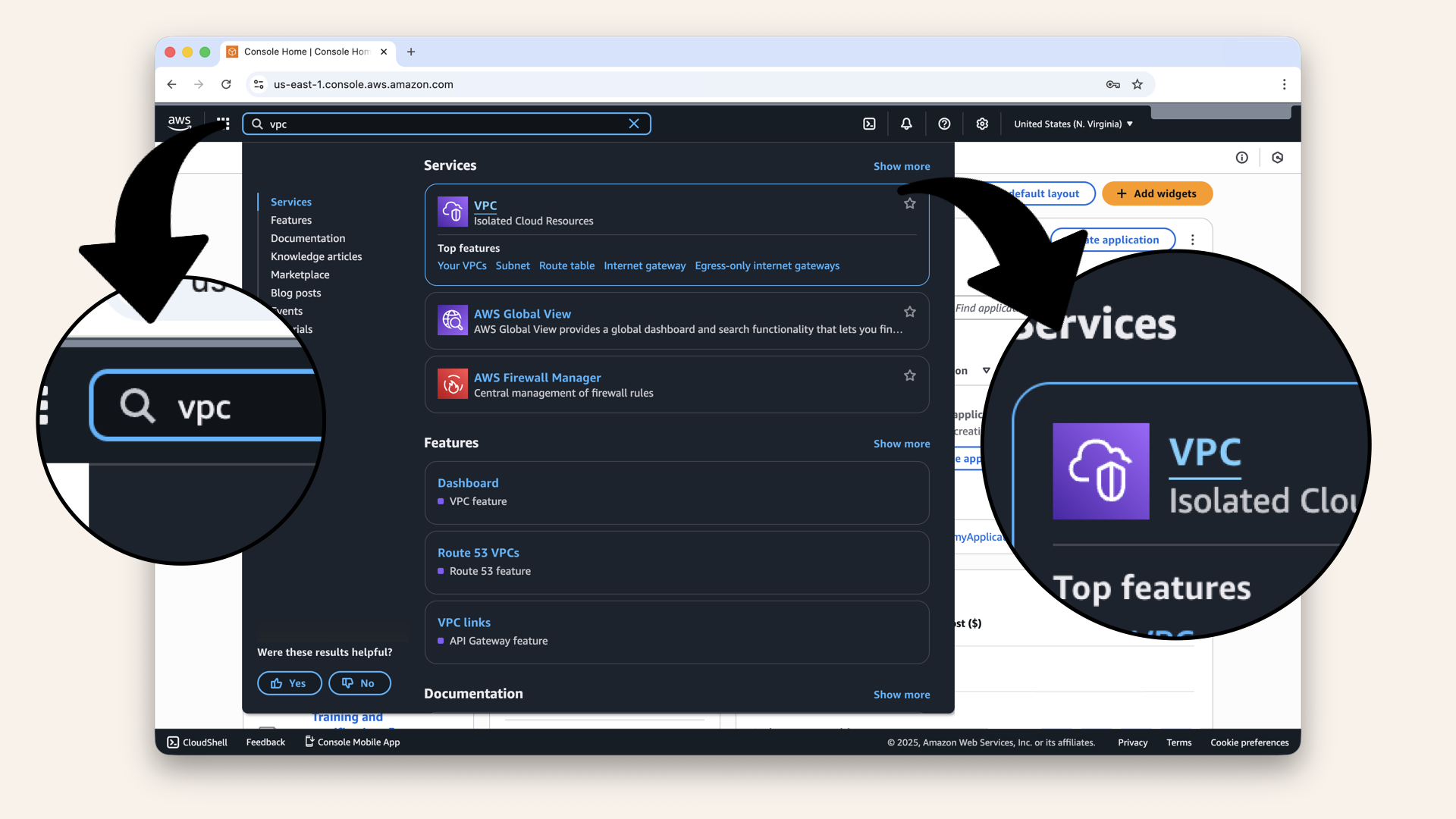
In the search bar at the top, type VPC and click VPC from the dropdown
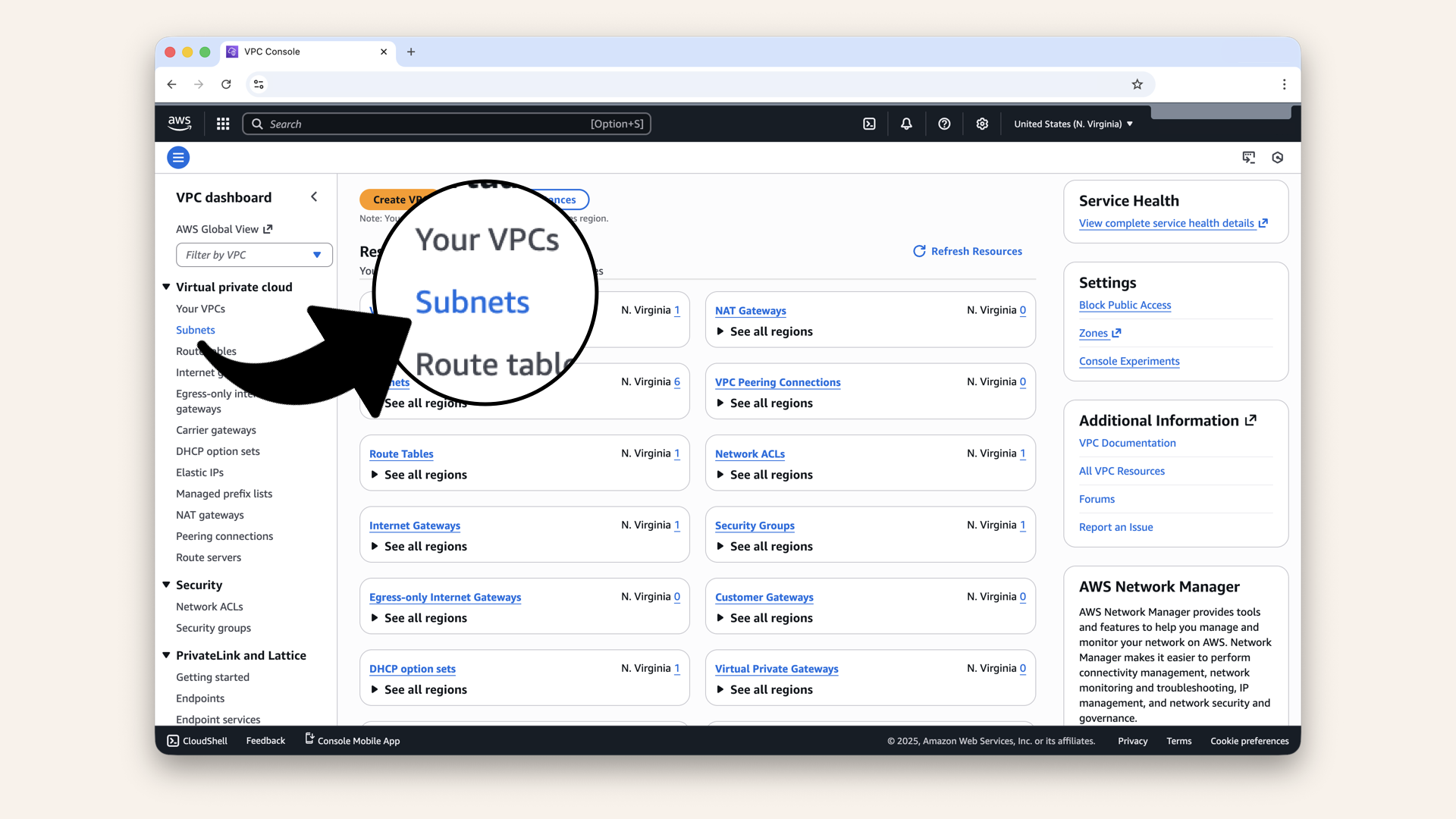
Click Subnets in the left menu
You'll see your existing subnets:
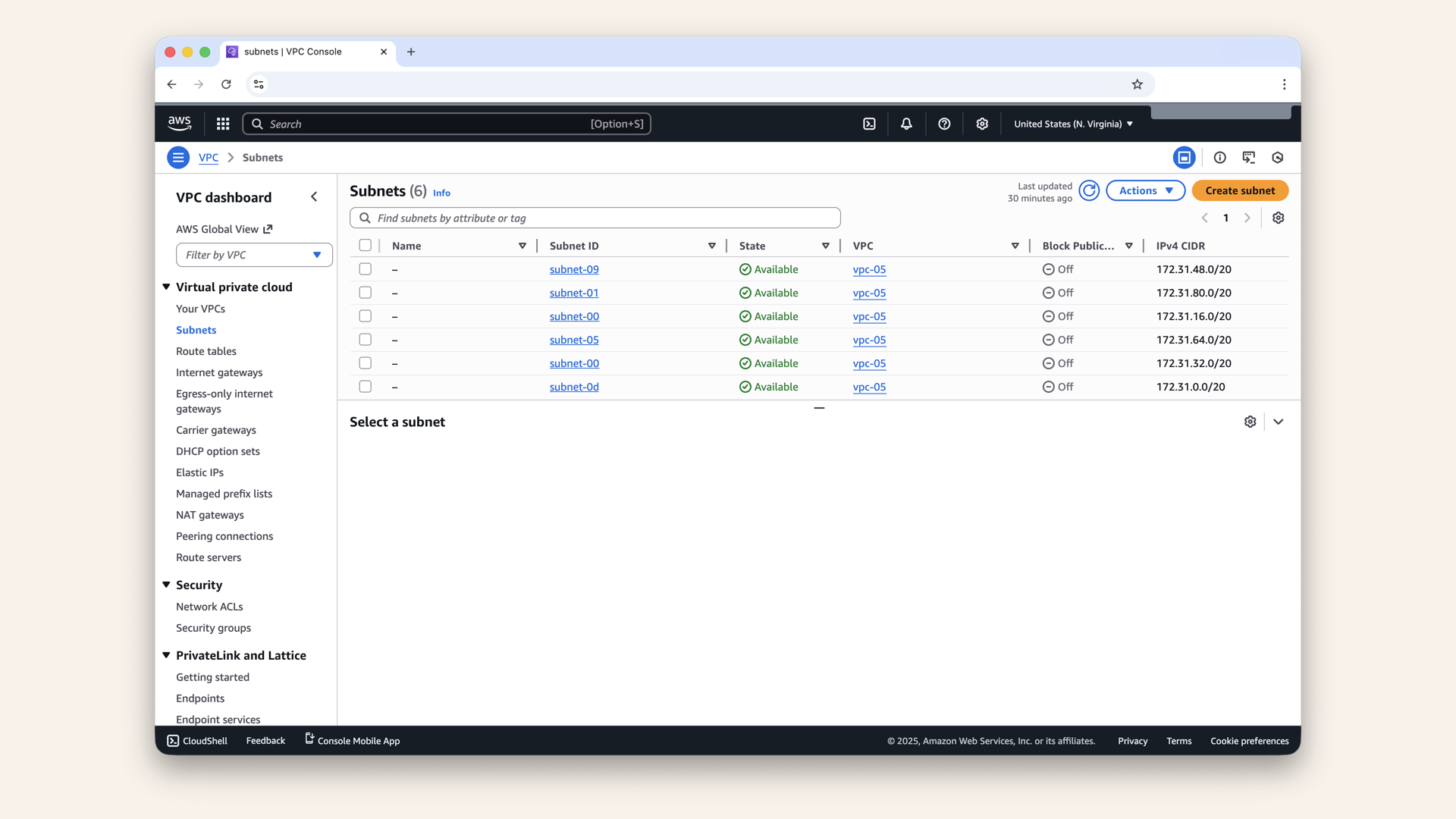
You'll see your existing subnets
Note the CIDR blocks already used:
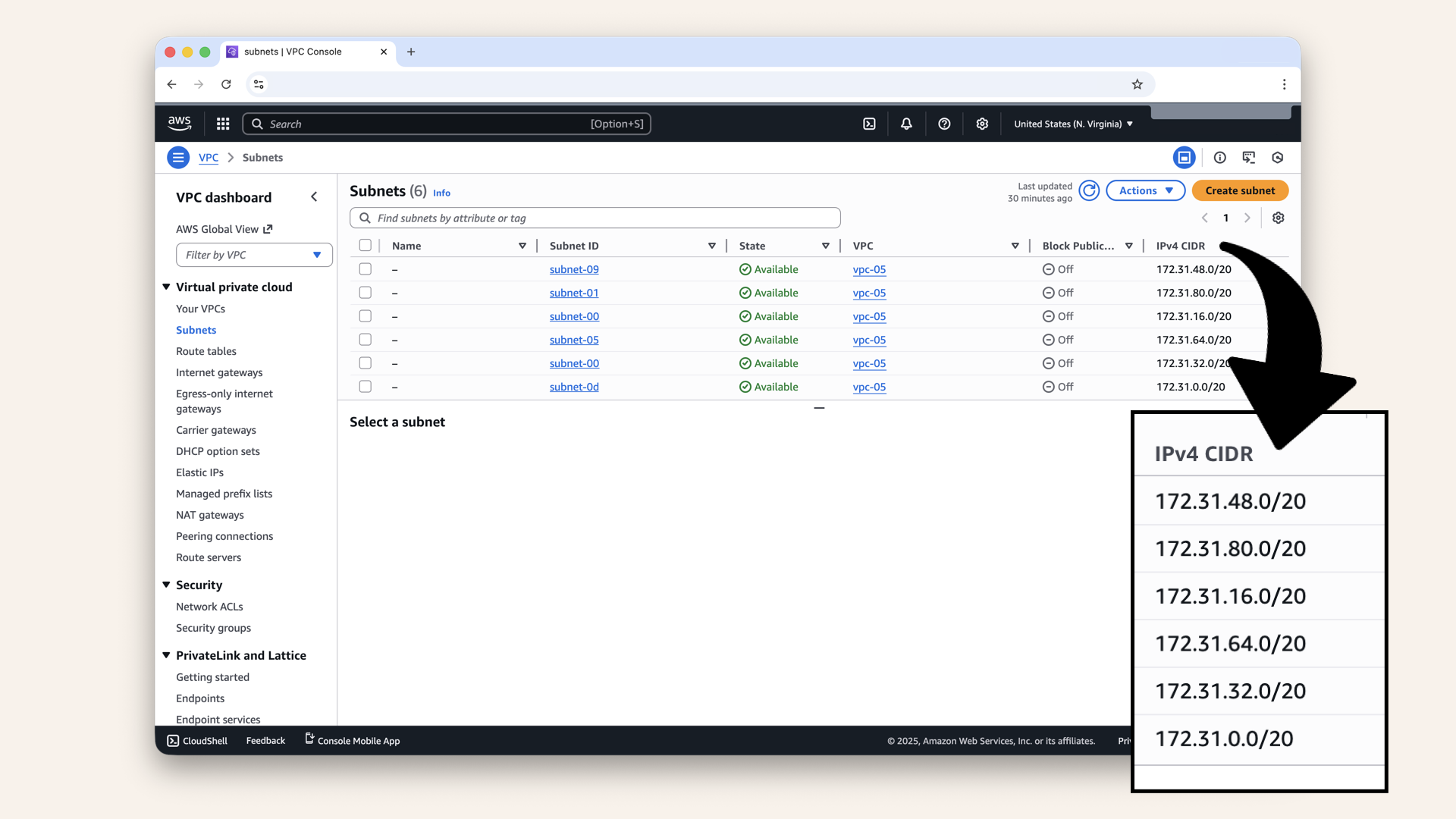
Note the CIDR blocks already used
Common defaults:
| Common default CIDR blocks |
|---|
| 172.31.0.0/20 |
| 172.31.16.0/20 |
| 172.31.32.0/20 |
| 172.31.48.0/20 |
| 172.31.64.0/20 |
We'll create new subnets starting at 172.31.96.0/20 to avoid conflicts.
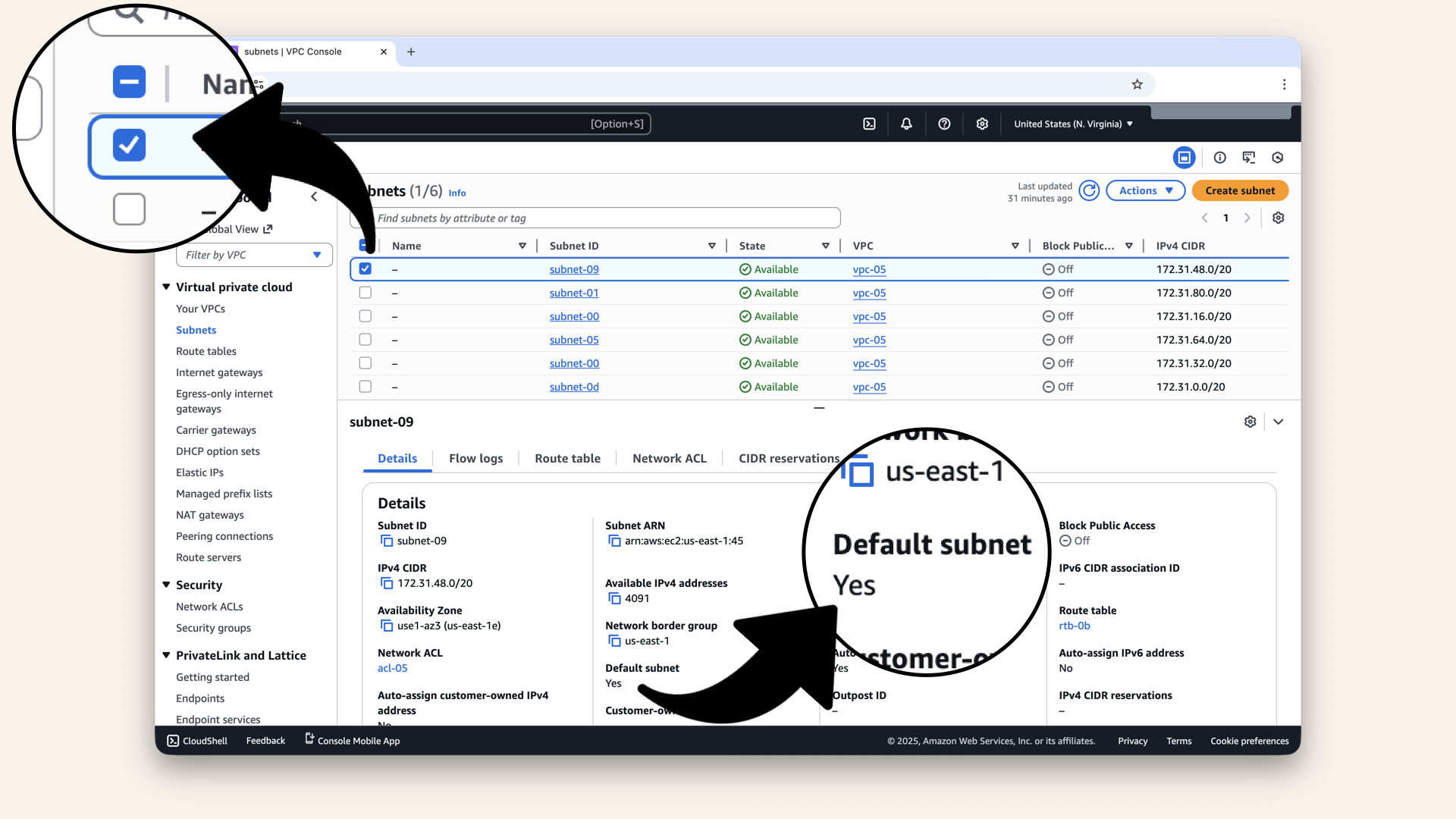
Click and select one of the subnets and you'll see if it is a default one
Step 2: Create PublicSubnet-1
Click Create subnet: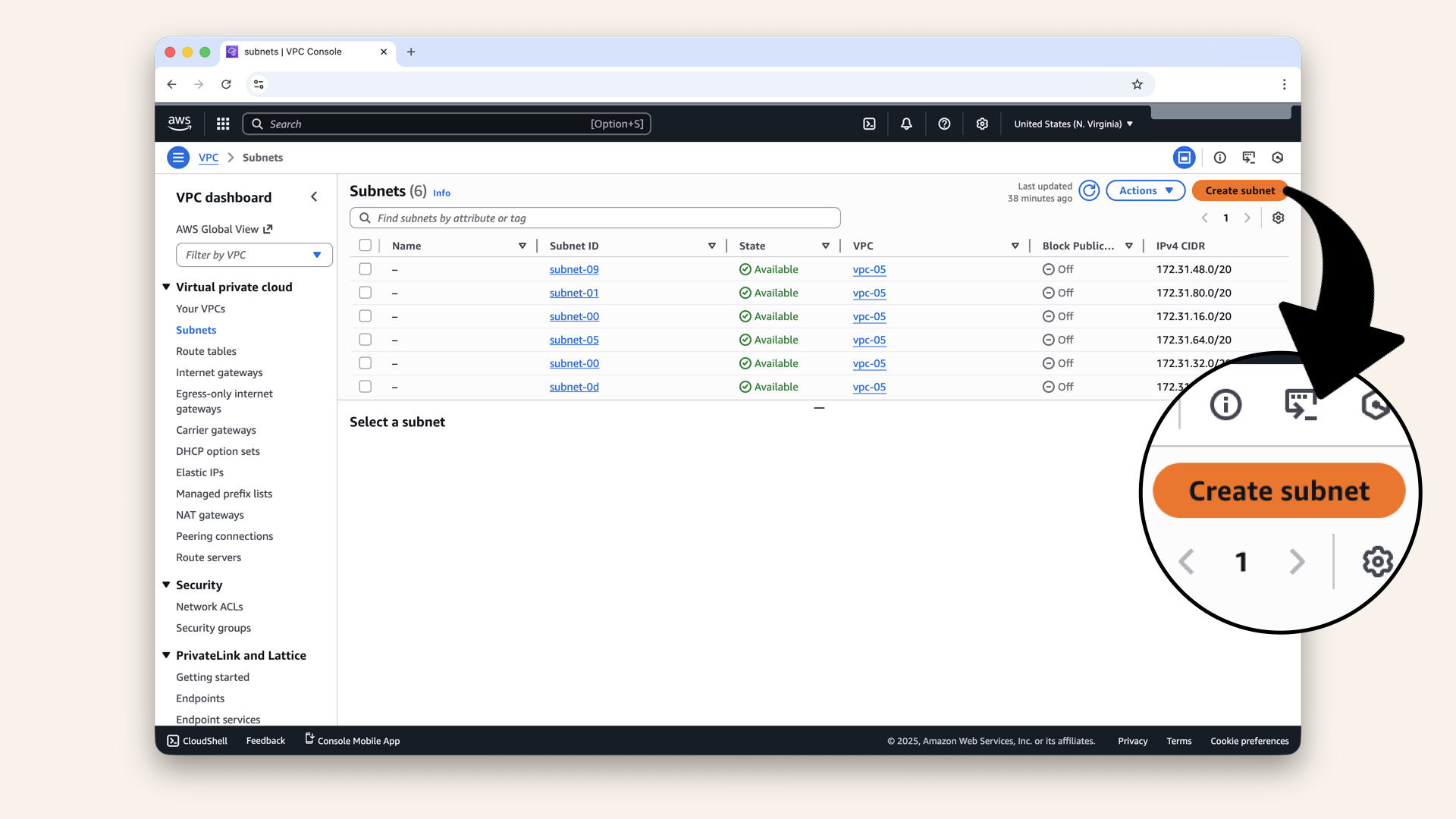
Click Create subnet
Select your VPC from the dropdown:
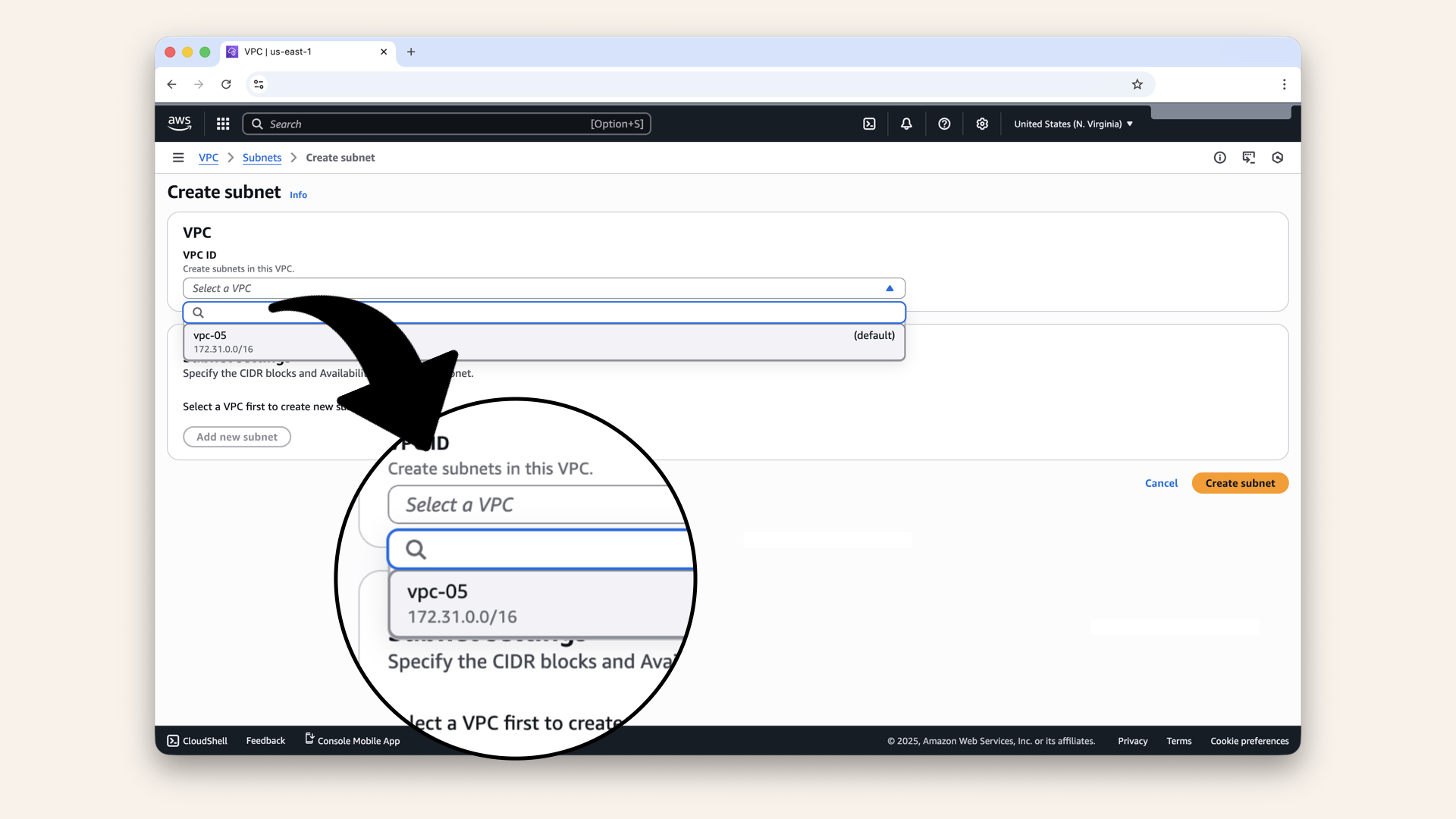
Select your VPC from the dropdown
Fill in the details:
Click the icon
and copy each value from the table below ⬇| Field | Value |
|---|---|
| VPC ID | Select your VPC |
| Subname name | |
| Availability zone | |
| IPv4 VPC CIDR block | Keep pre-selected 173.31.0.0/16 |
| IPv4 CIDR block |
You can also copy and paste the availability zone to make sure you get it right:
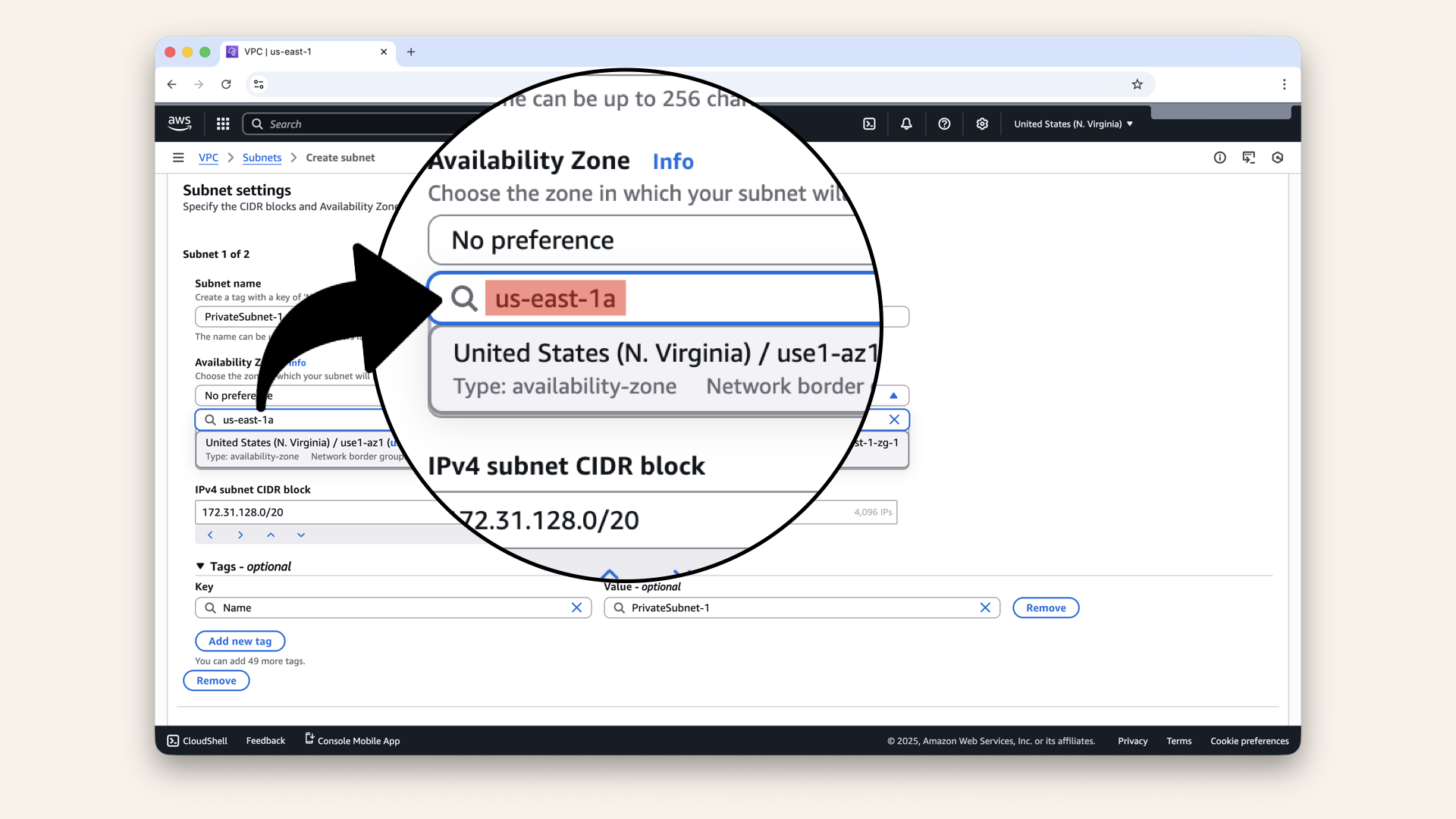
Copy and paste the availability zone to make sure you get it right
Fill in the details:
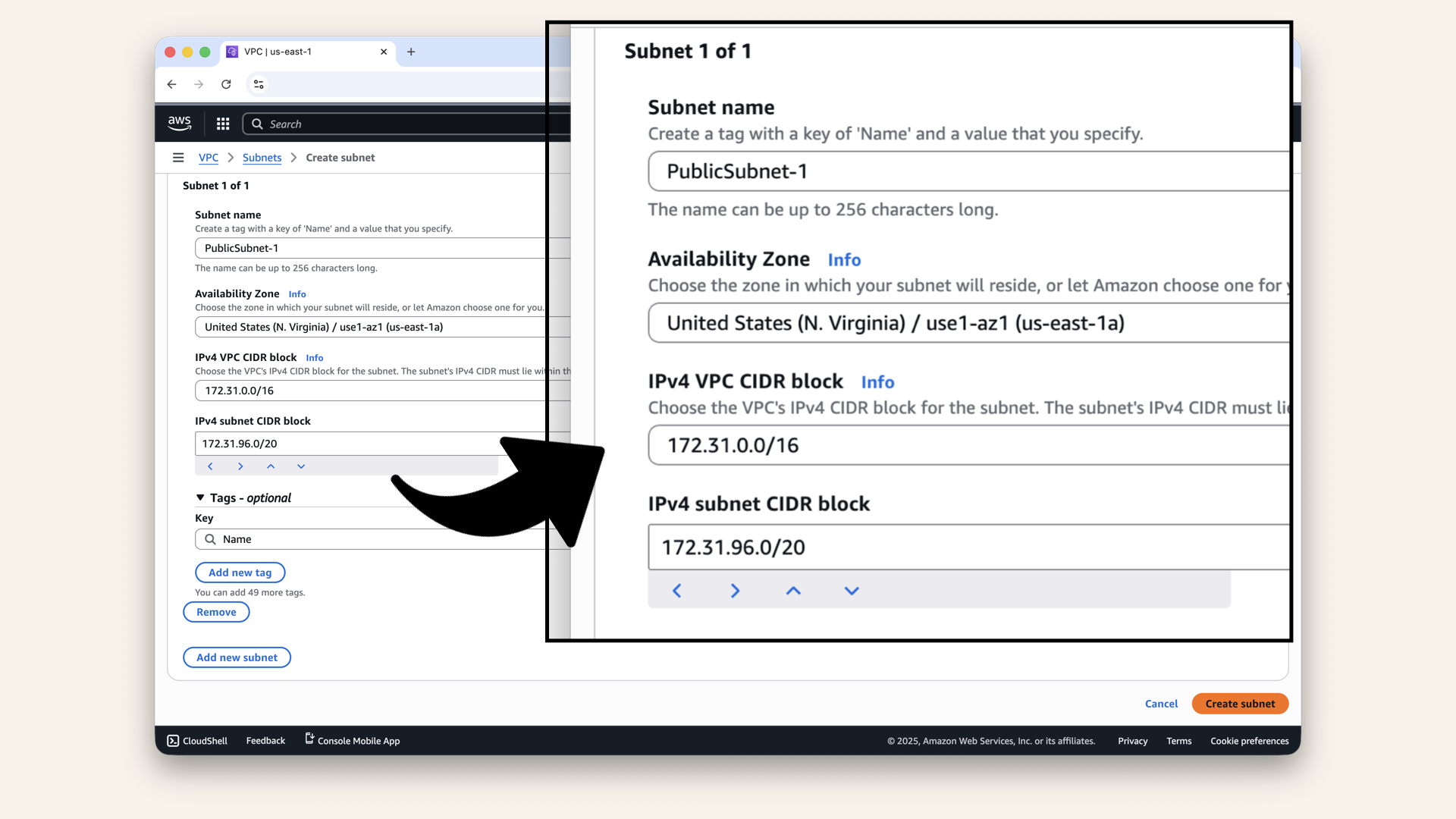
Fill in the details
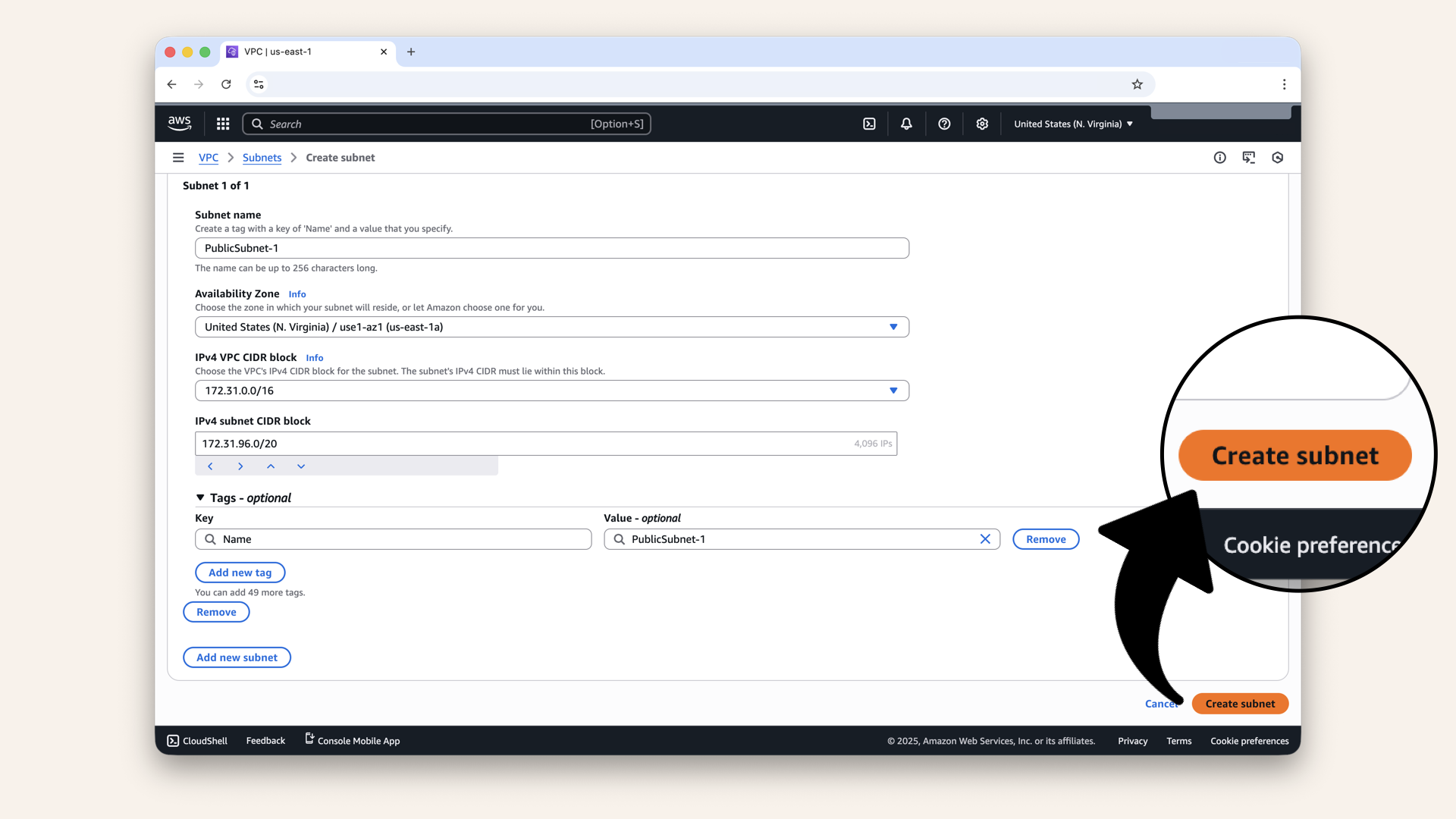
Fill in the details and click Create subnet
You should now see a successfully created subnet:
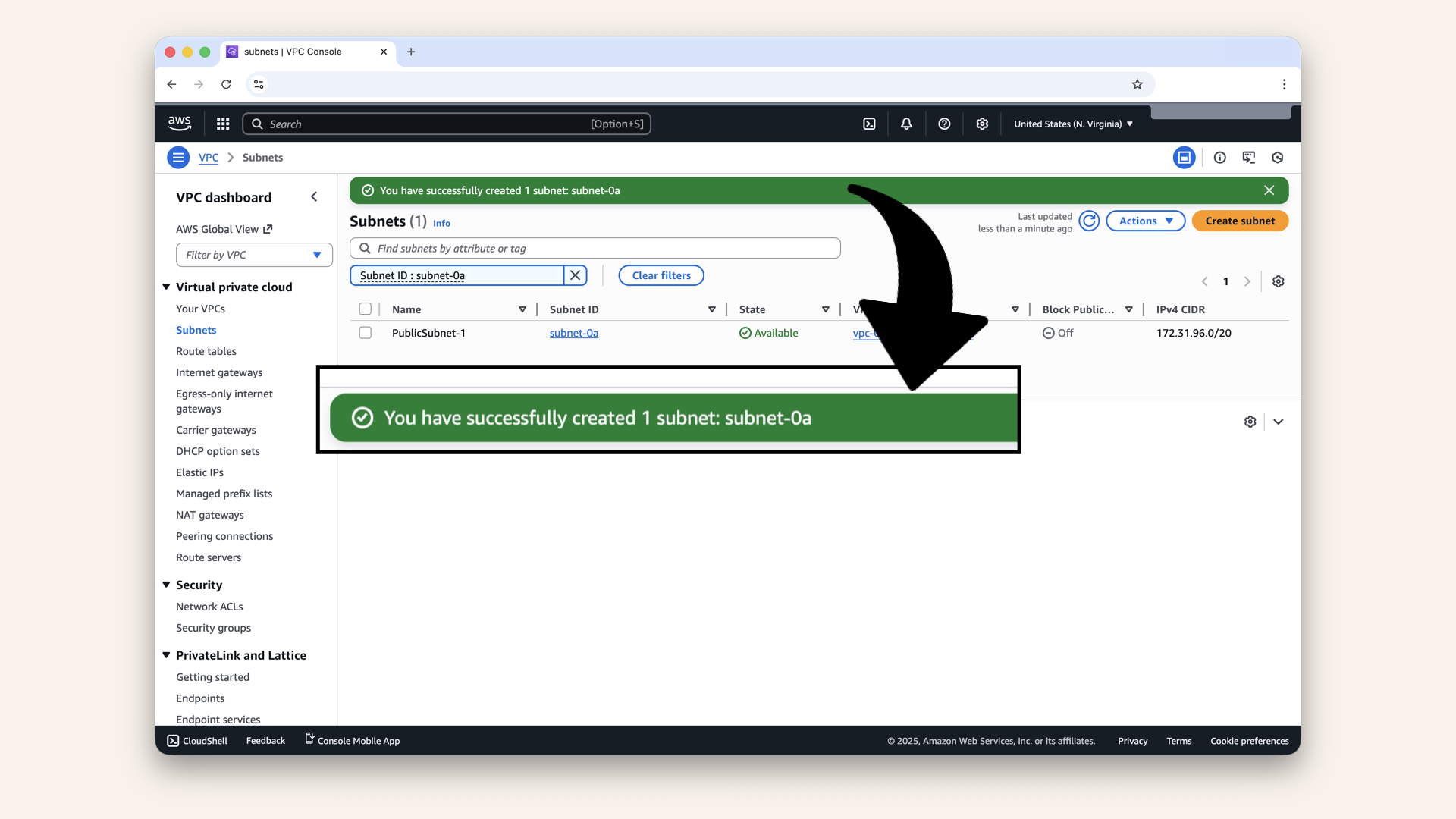
You should now see a successfully created subnet
Step 3: Create PublicSubnet-2
Repeat for the second public subnet.
Click Create subnet: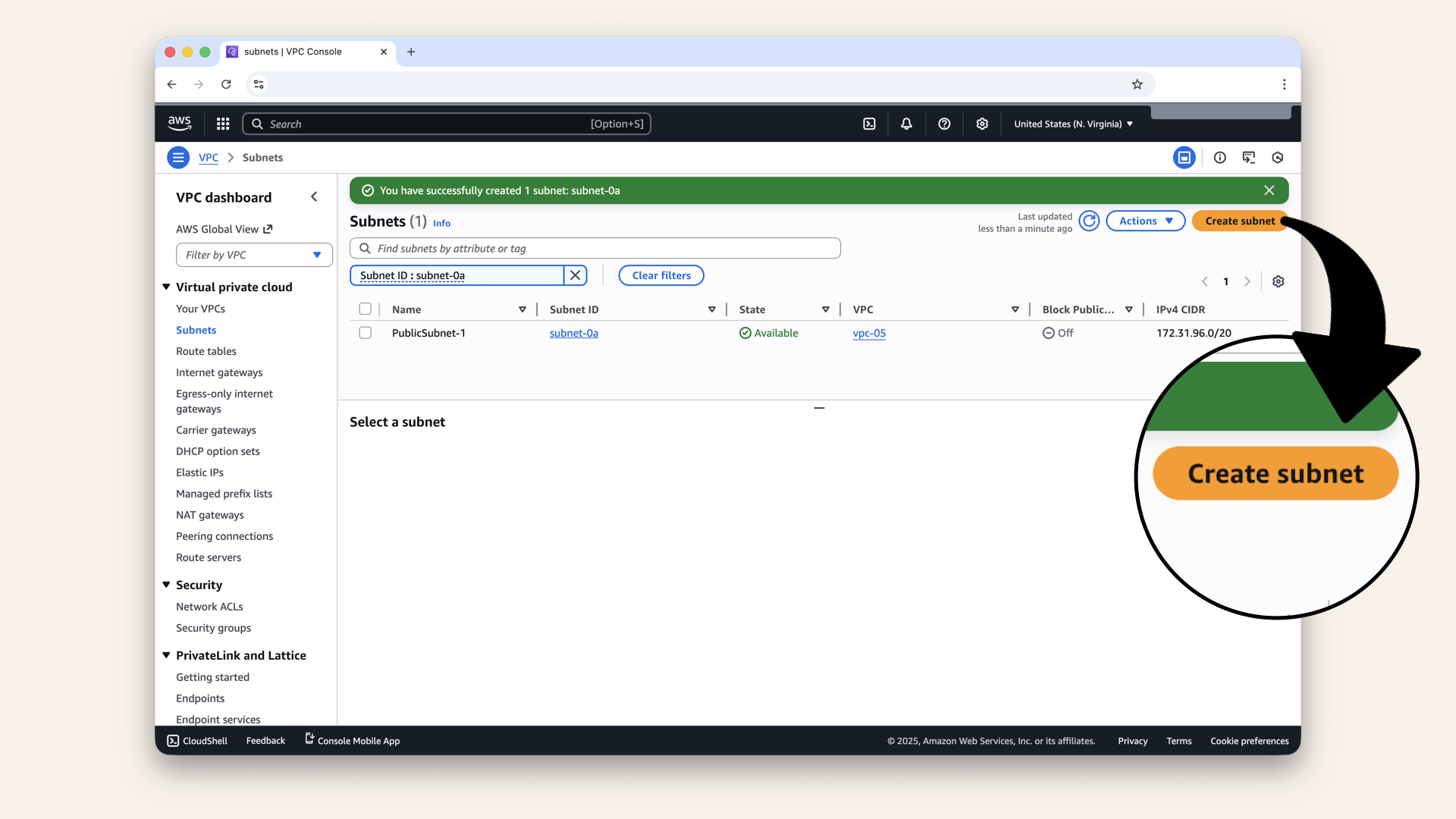
Repeat for the second public subnet. Click Create subnet
Fill in the details for PublicSubnet-2:
| Field | Value |
|---|---|
| VPC ID | Same VPC |
| Subnet name | |
| Availability Zone | ← Different zone! |
| IPv4 VPC CIDR block | Keep pre-selected 173.31.0.0/16 |
| IPv4 CIDR block | ← Different block! |
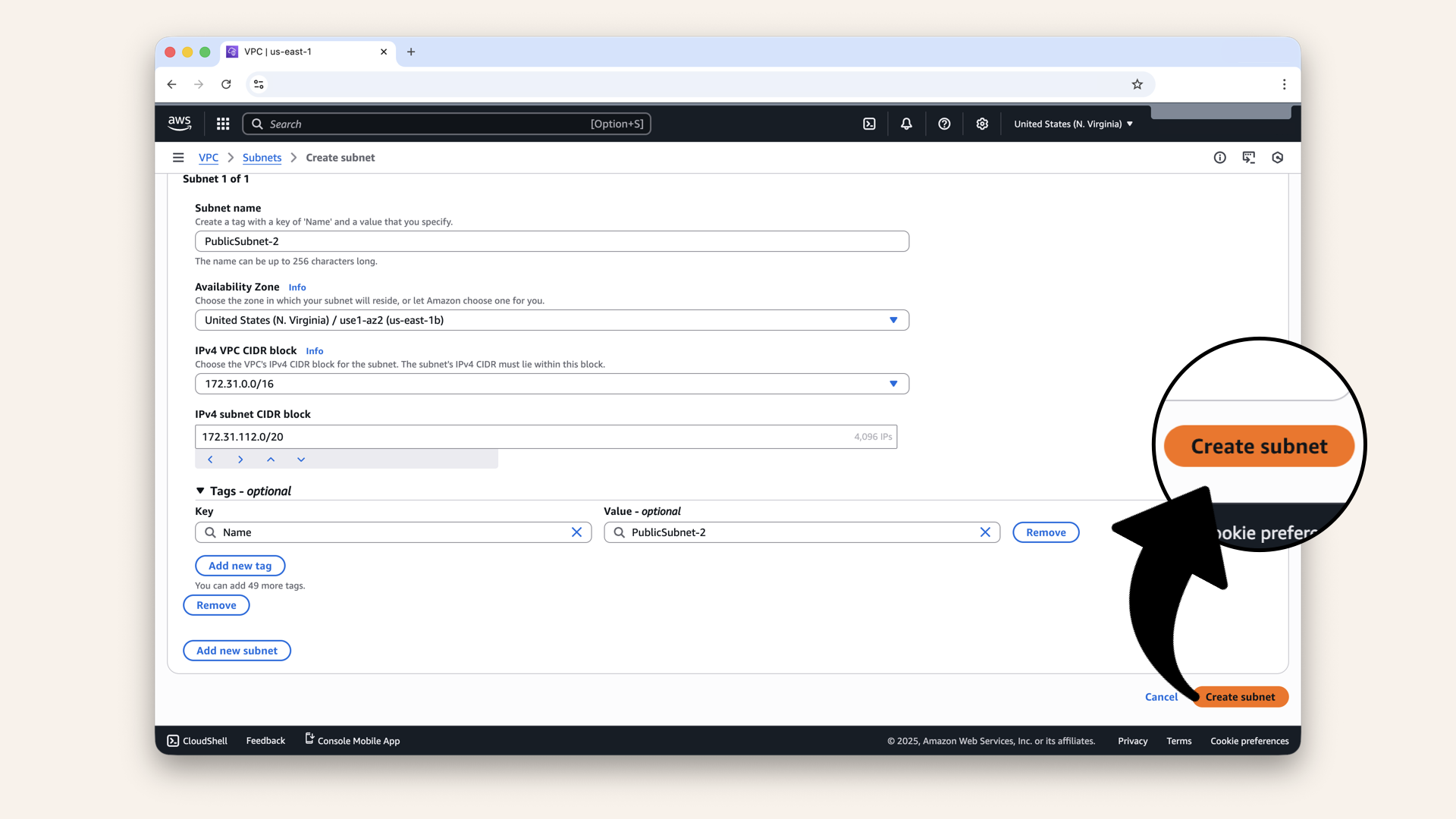
Fill in the details for PublicSubnet-2 and click Create subnet
✅ You now have 2 public subnets in 2 availability zones
Step 4: Create PrivateSubnet-1 and PrivateSubnet-2
Click Create subnet again: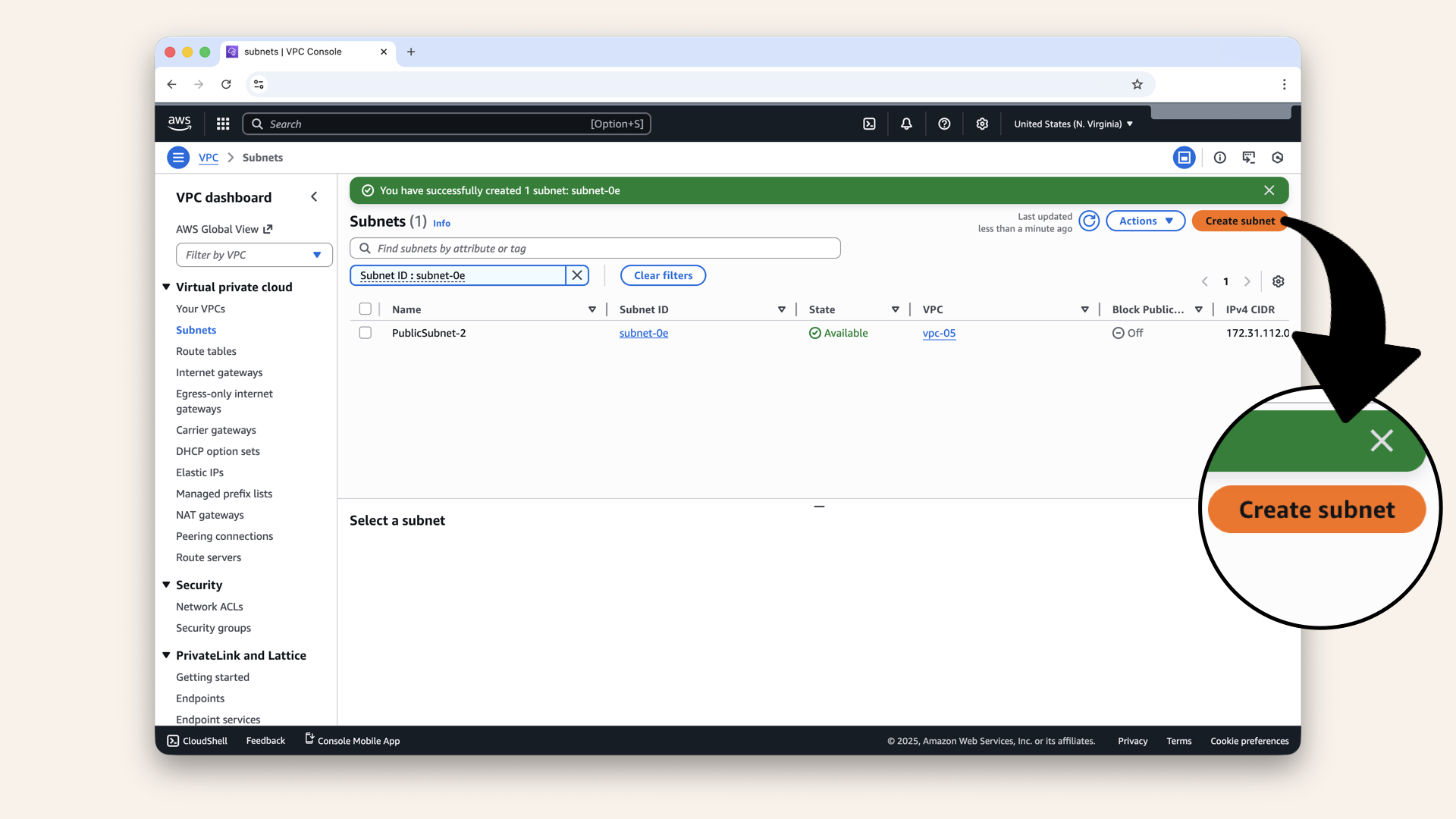
Click Create subnet again
Select your VPC from the dropdown.
Now create the first private subnet with these values:
| Field | Value |
|---|---|
| VPC ID | Same VPC |
| Subnet name | |
| Availability Zone | |
| IPv4 VPC CIDR block | Keep pre-selected 173.31.0.0/16 |
| IPv4 CIDR block | ← Different block! |
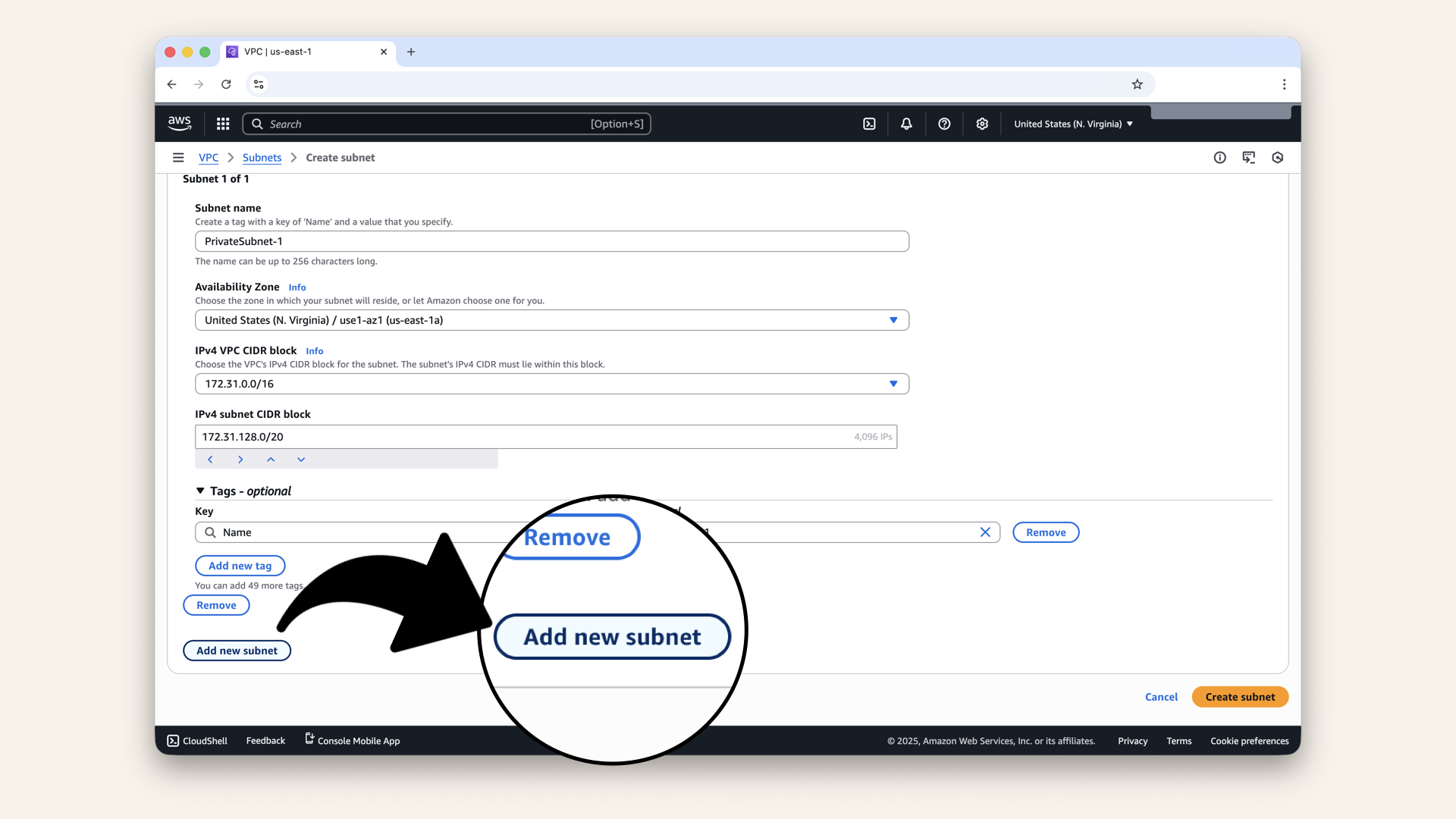
This time, click on Add new subnet
Create the second private subnet with these values:
Click and copy each value from the table below.
| Field | Value |
|---|---|
| VPC ID | Same VPC |
| Subnet name | |
| Availability Zone | ← Different zone! |
| IPv4 VPC CIDR block | Keep pre-selected 173.31.0.0/16 |
| IPv4 CIDR block | ← Different block! |
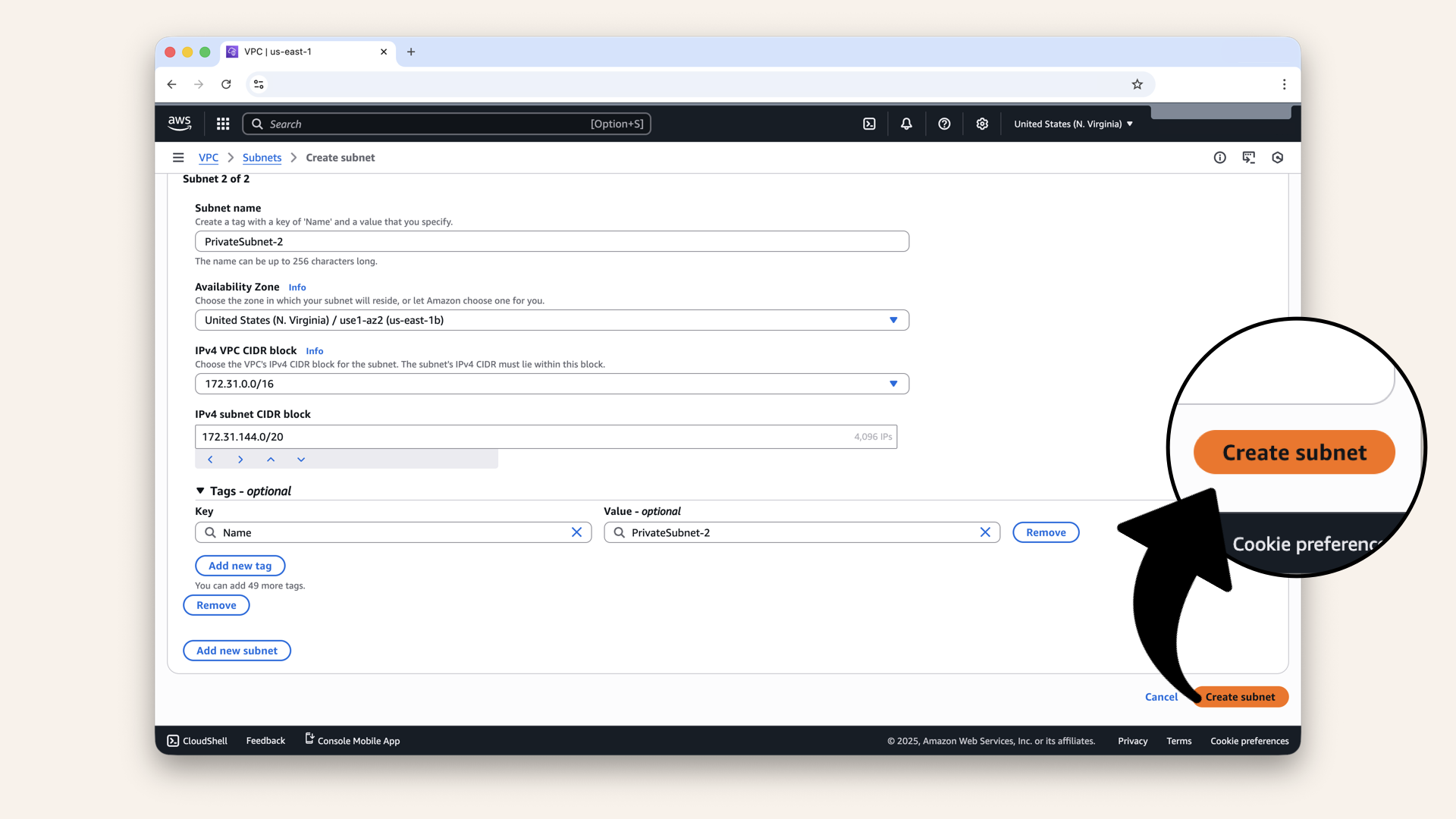
Click Create subnet
✅ Done! you have now 4 new subnets:
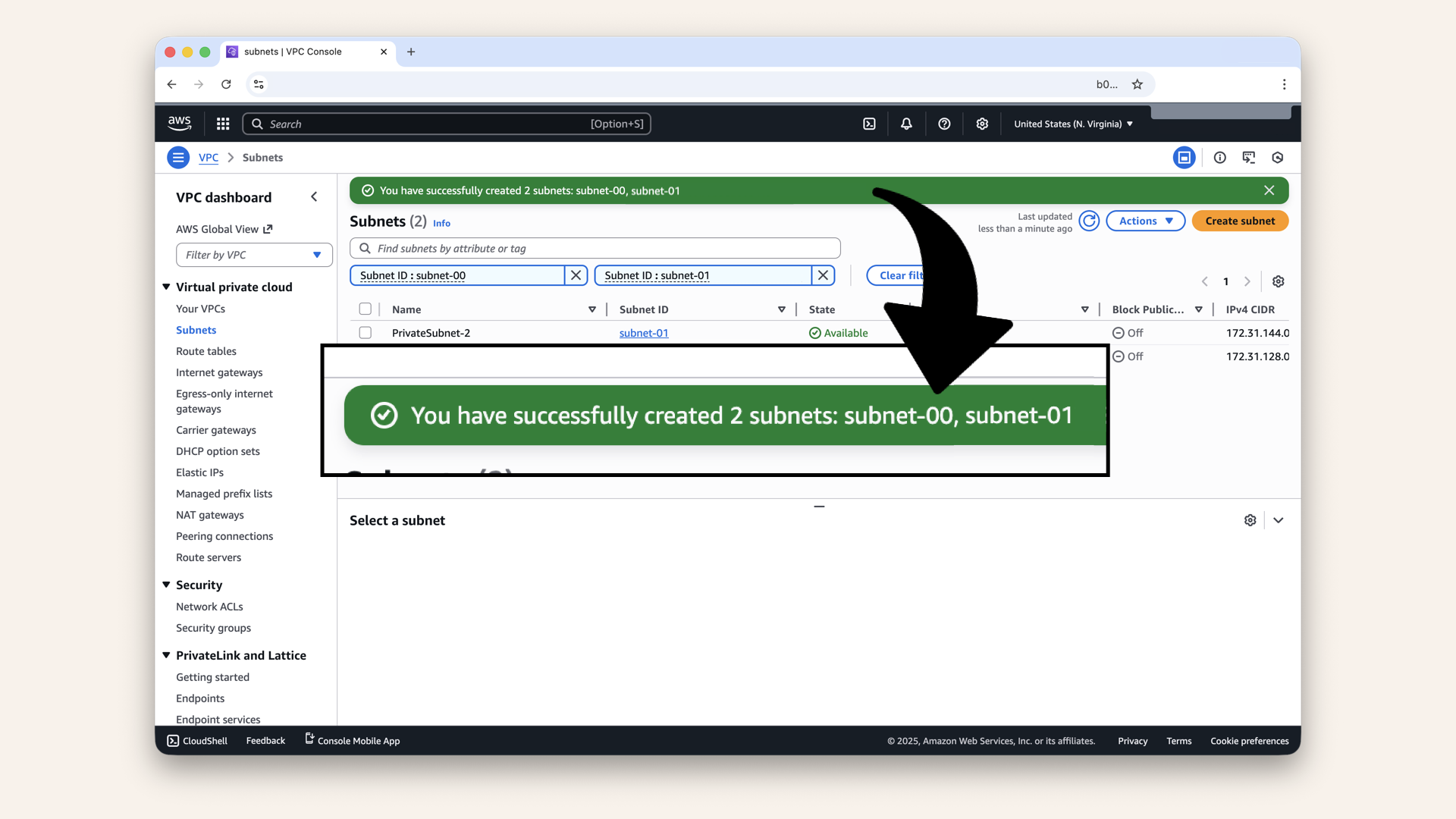
✅ Done! you have now 4 new subnets
Step 5: Verify your subnets
Click on either Subnets in the left menu or Clear filters: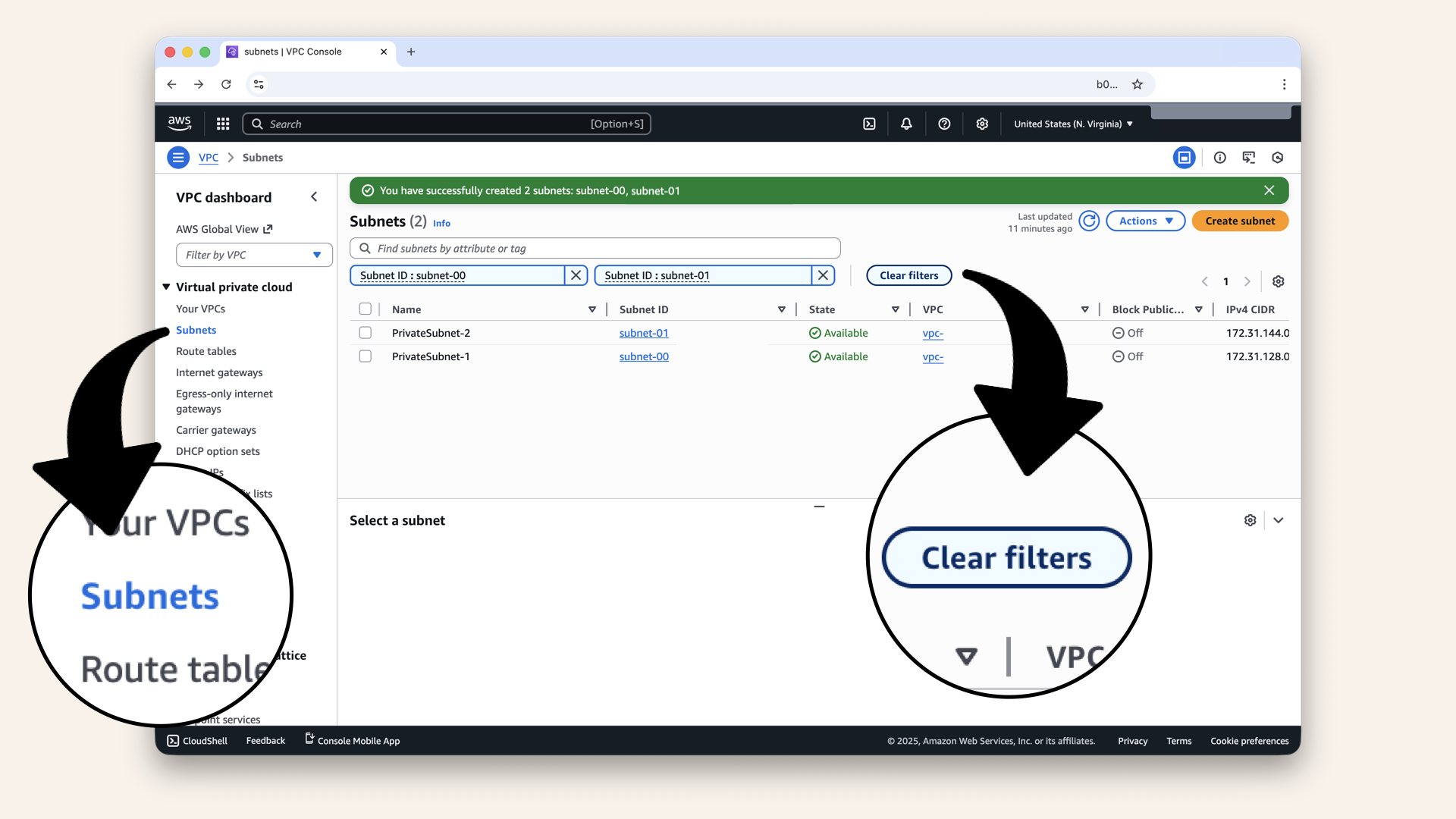
Click on either Subnets in the left menu or Clear filters
You should see all 4 new subsets in the list:
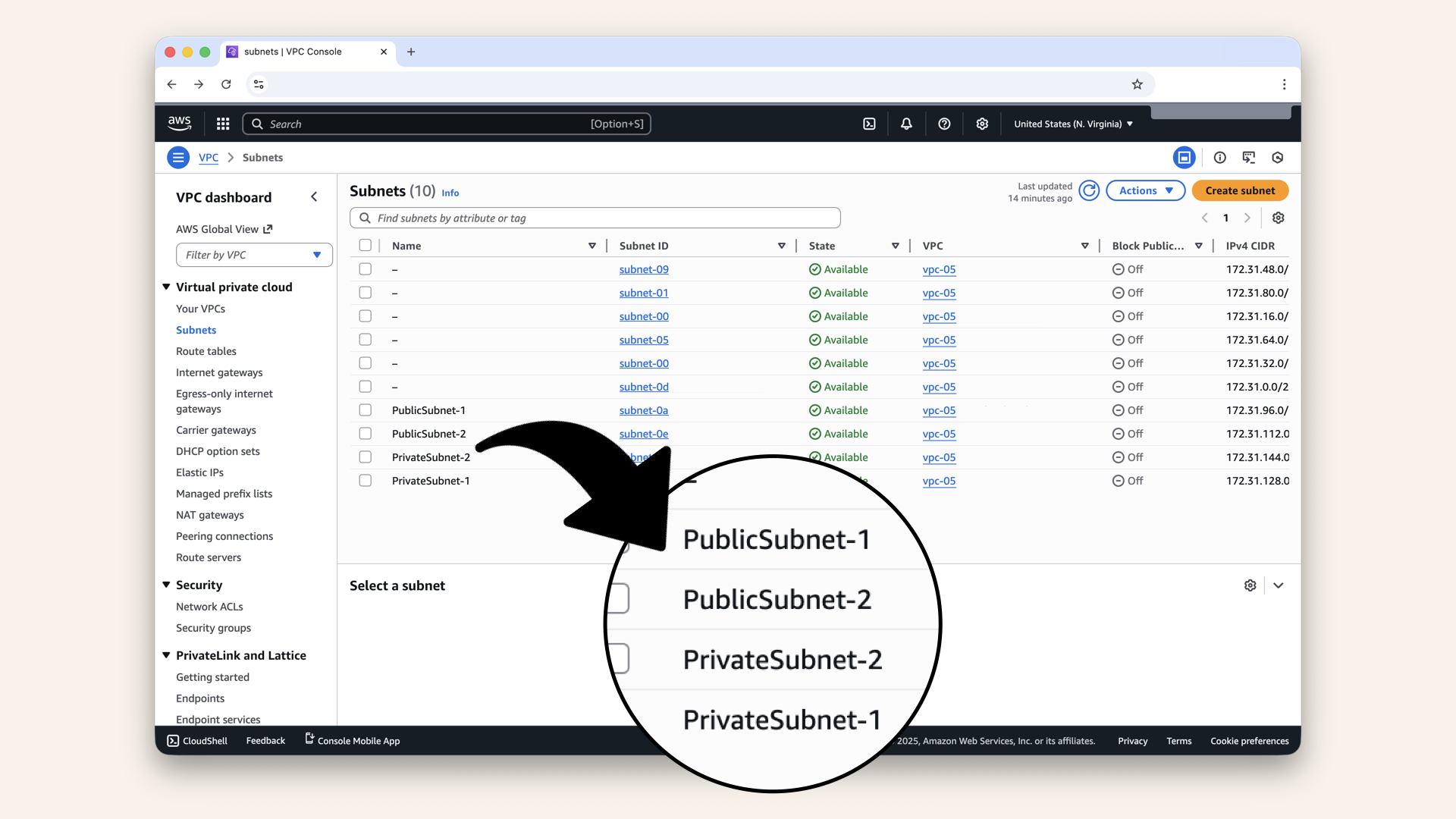
You should see all 4 new subsets in the list
Verify:
| Name | CIDR | Zone | Status |
|---|---|---|---|
| PublicSubnet-1 | 172.31.96.0/20 | us-east-1a | Available |
| PublicSubnet-2 | 172.31.112.0/20 | us-east-1b | Available |
| PrivateSubnet-1 | 172.31.128.0/20 | us-east-1a | Available |
| PrivateSubnet-2 | 172.31.144.0/20 | us-east-1b | Available |
If all 4 show "Available" → you're done! ✅
✅ Today's win
If you completed all steps:
✅ 4 new subnets created
✅ 2 public (for load balancers)
✅ 2 private (for AI agent containers)
✅ Split across 2 availability zones
✅ IP ranges don't overlap
Tomorrow, we'll build the exit (NAT Gateway)
Understanding what we built
Let's visualize your VPC now:
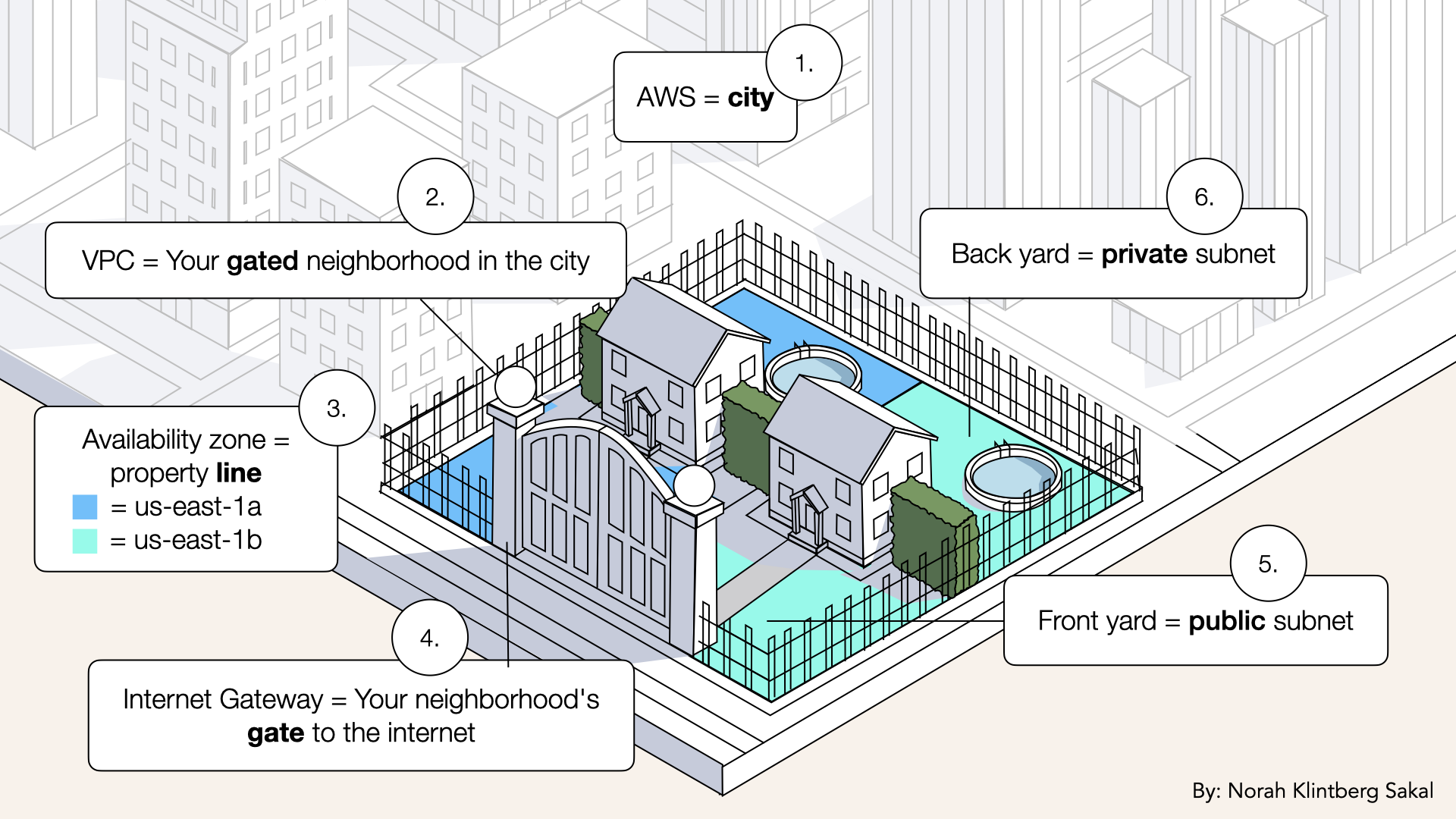
Let's visualize your VPC now
What you have:
✅ 1 neighborhood (VPC)
✅ 2 properties (availability zones)
✅ 2 front yards (public subnets)
✅ 2 back yards (private subnets)
✅ Public/private separation
What you don't have yet:
❌ Routes (Day 6)
❌ NAT Gateway (Day 5)
❌ Security rules (Day 7)
We're building the foundation piece by piece.
Troubleshooting
CIDR block overlaps with existing subnet
Error: "CIDR block overlaps with existing subnet"
Solution:
- Check your existing subnets (VPC → Subnets)
- Note which CIDR blocks are used
- Pick different blocks that don't overlap
Example: If 172.31.96.0/20 is taken, use 172.31.160.0/20
Rule: Each subnet needs a unique range.
Can't select availability zone
Problem: Availability zone dropdown is grayed out
Solution:
- Make sure you selected the correct VPC
- Refresh the page
- Try a different browser
If still stuck: Delete the subnet and try again.
What if I pick the wrong CIDR block?
No problem → just delete and recreate:
- Select the subnet
- Click Actions → Delete subnet
- Create a new one with the correct CIDR
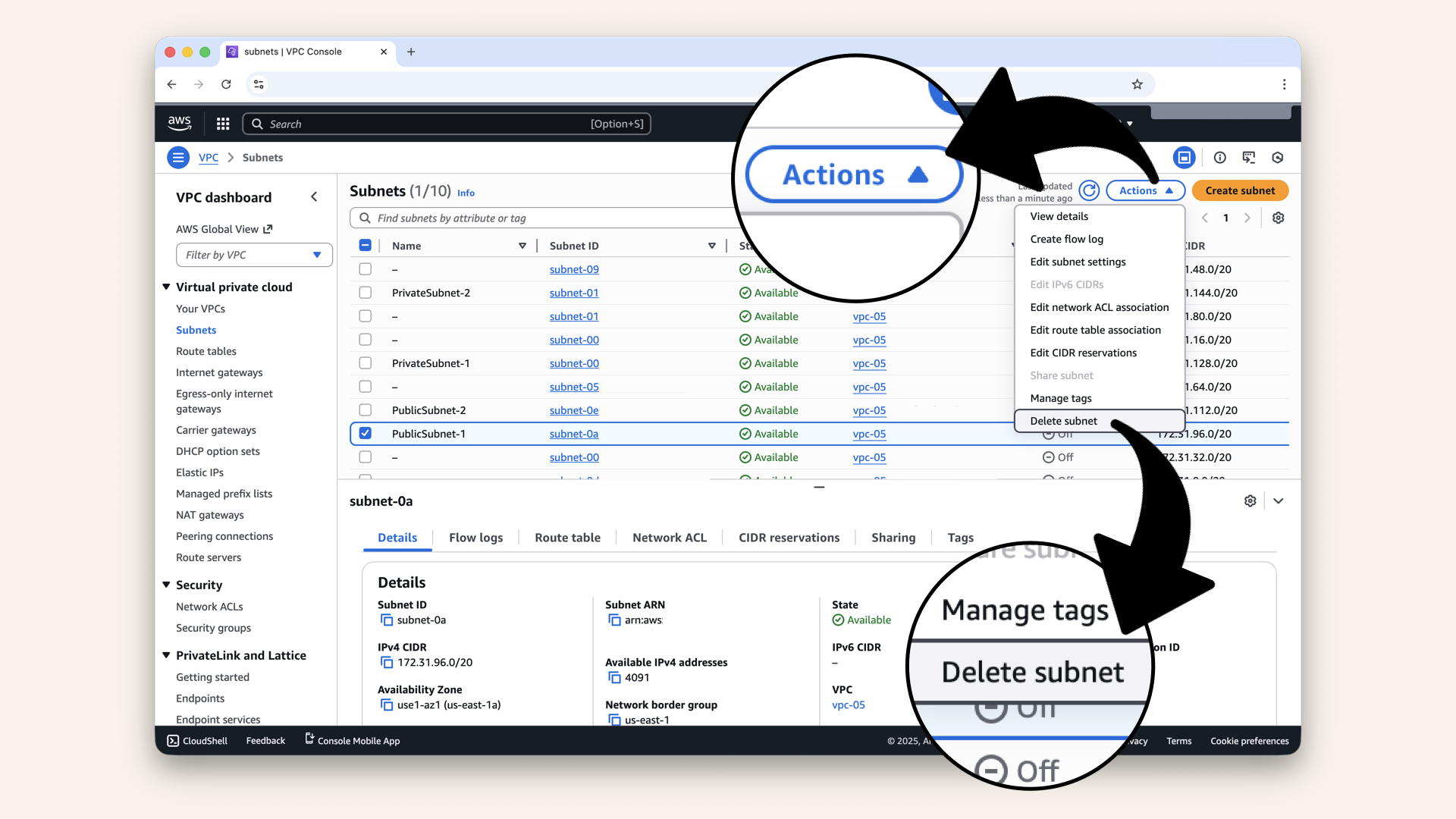
Click Actions → Delete subnet
Note: You can only delete subnets that have no resources in them.
Tomorrow's preview
Today: You divided your VPC into plots with front yards and back yards (subnets)
Tomorrow (Day 5): We build the exit (NAT Gateway)
Why you need it:
Your private subnets (where your AI agent will live) can't access the internet directly.
But your AI agent needs to:
- Pull Docker images from ECR
- Call OpenAI API
- Send audio to Twilio
Solution: NAT Gateway
It's a one-way door:
✅ Private subnet → Internet (outbound)
❌ Internet → Private subnet (inbound blocked)
This keeps your AI secure while letting it work.
What we learned today
1. What subnets are
Logical divisions of your VPC (like neighborhoods in a city)
2. Public vs private
- Public = accessible from internet
- Private = hidden
3. Availability zones
Multiple data centers for high availability
4. CIDR math
How to divide IP ranges without overlaps
The foundation is growing
Days 1-2: Local development (your laptop) ✅
Day 3: VPC (your territory) ✅
Day 4: Subnets (your neighborhood) ← YOU ARE HERE ✅
Days 5-8: Networking (NAT, routes, security)
Days 9-12: Gateway (load balancer, DNS, SSL)
Days 13-17: Deployment (Docker, ECS, production!)
Days 18-24: Features (API, frontend, polish)
Share your progress
Got all 4 subnets created? Share it!
Twitter/X:
"Day 4: Created 4 subnets (2 public, 2 private) across 2 availability zones. My AI calling agent's neighborhood is taking shape. Following @norahsakal's advent calendar 🎄"
LinkedIn:
"Day 4 of building AI calling agents: Created subnets for high availability. 2 public for the load balancer, 2 private for the AI containers. Foundation is solid!"
Tag me! I want to celebrate your progress! 🎉
Want the full course?
But if you want:
✅ Complete codebase (one clean repo)
✅ Complete walkthroughs
✅ Support when stuck
✅ Production templates
✅ Advanced features
Join the waitlist for the full course (launching February 2026):
Need help with deployment? Want to brainstorm your AI calling idea? Grab a free 30-min call ↗ - happy to help.
Tomorrow
Tomorrow: Day 5 - NAT Gateway (build your one-way door) 🚪
Your AI agent needs to call OpenAI and Twilio, but you can't give it a public IP. Solution: NAT Gateway - a one-way door in your back fence.
Read Day 5 ↗
See you then!
— Norah